




At True Digitizing, we transform your creative spark into flawless, high-quality embroidery digitized designs that bring your vision to life.
Our Blogs
We Accept

Copyright 2025 Truedigitizing






At True Digitizing, we transform your creative spark into flawless, high-quality embroidery digitized designs that bring your vision to life.
We Accept
Copyright 2025 Truedigitizing


Guys you try to convert an SVG file into embroidery designs for the first time, the expectations are that the stitches will form exactly like the artwork looks on screen. In reality, the lines shift, the fill areas look uneven, small curves overlap or the machine doesn't read the file at all. This is where most beginners feel stuck. The SVG format is perfect for vector graphics but embroidery machines don’t read shapes the same way. They need stitch commands, directions, underlay, density, and trim information.

You can convert an SVG into an embroidery format like DST or PES but only when the design in embroidery digitizing format. The shapes in SVG are based on mathematical lines and curves, while embroidery machines need stitch lengths, underlay type, tie-ins, trims and density settings.
You can use conversion tools but without manual digitizing, your art will not stitch clean. Shapes will stretch, corners will pull and the outline may fall out of place. This is why many embroiderers choose a professional service. At True Digitizing, the artwork is not auto-converted. Each stitch is assigned manually to ensure clean results and smooth run on the machine.
SVG is ideal for printing and screens. Embroidery is based on thread, fabric, tension, needle, stabilizer, and machine movement. That is why a direct file conversion rarely works without correction.
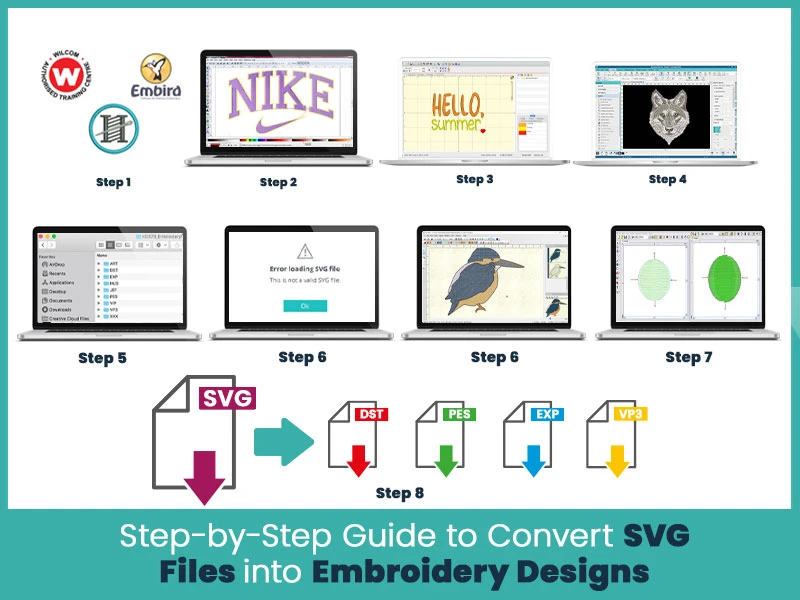
- Open your SVG file in digitizing software.
- Break artwork into parts: fills, outlines, small details.
- Assign stitch types (fill, satin, run).
- Adjust density based on fabric type.
- Add underlay for stability.
- Set tie-in and tie-off points.
- Apply trims, especially between small elements.
- Export in machine format (DST, PES, EXP, etc.).
- Test stitch on sample fabric.
Make corrections if stitches break or shift.
- Wilcom
- Hatch
- Inkscape with Ink/Stitch extension
- Embrilliance StitchArtist
- Brother PE-Design
- TrueSizer
You can choose all of these tools depending on your machine and embroidery skills.
Inkscape is free and the Ink/Stitch plugin lets you apply basic stitch types. You can import an SVG and convert shapes to satin or fill stitches. However, you must adjust stitch density and underlay otherwise, your stitches will not set well on fabric.
Embrilliance StitchArtist reads SVG artwork smoothly. You can break shapes apart, fill them, and apply satin edges. This software is simpler than Wilcom for beginners but it still requires manual stitch settings.
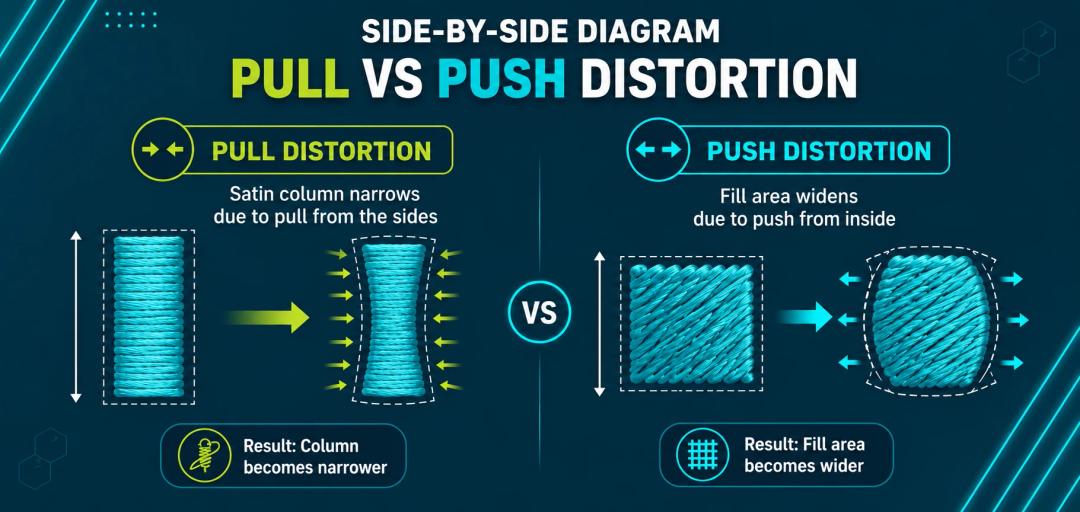
Wilcom and Hatch are strong options for manual conversion. They let you control every stitch and layer. If your SVG has thin lines, small text or layered shapes, manual digitizing gives the best results because you control push, pull, and density.
Free converters may convert shapes to stitches but they don’t fix density, pull compensation, tie-ins or trims. This is why embroidery machines skip, break thread or drag stitches.
Auto conversion does not:
- Adjust density for fabric.
- Add proper underlay.
- Handle small curves.
- Fix overlaps.
- Add tie-offs.
This is why outlines don’t match fills and letters don’t read well.
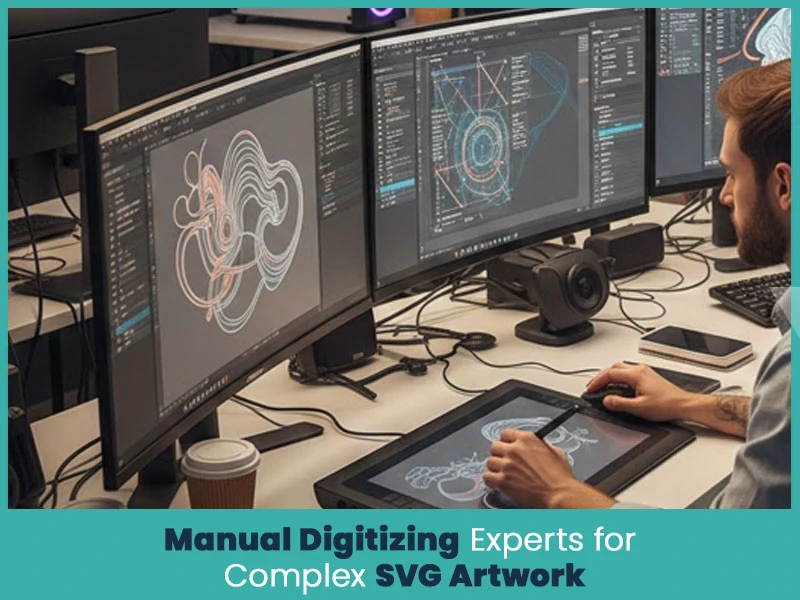
Manual digitizing lets you control:
- stitch angles.
- pull compensation.
- fabric movement.
- thread weight.
This is the real difference between a clean, readable design and a distorted stitch-out.
- Reduce density on stretchy fabric.
- Add edge-walk underlay for satin stitches.
- Add zig-zag underlay for thick fill areas.
- Place tie-ins to avoid unraveling.
- Add tie-offs at jumps.
This helps keep your design stable during stitching.
Most machines read only embroidery formats. After digitizing, export to:
- DST (Tajima)
- PES (Brother)
- EXP (Melco)
- JEF (Janome)
- VP3 (Husqvarna)
True Digitizing doesn’t rely on auto conversion. Every stitch is created by an experienced team so your artwork runs smoothly on fabric without breaks or loose threads.
Your SVG artwork will be converted into embroidery formats you need, then no matter you have Brother, Tajima, Janome or Ricoma, True Digitizing prepares files that run perfectly.
If your SVG contains thin outlines, shading or layered shapes, manual digitizing ensures accurate results. True Digitizing understands how thread acts differently, so your design keeps its shape.
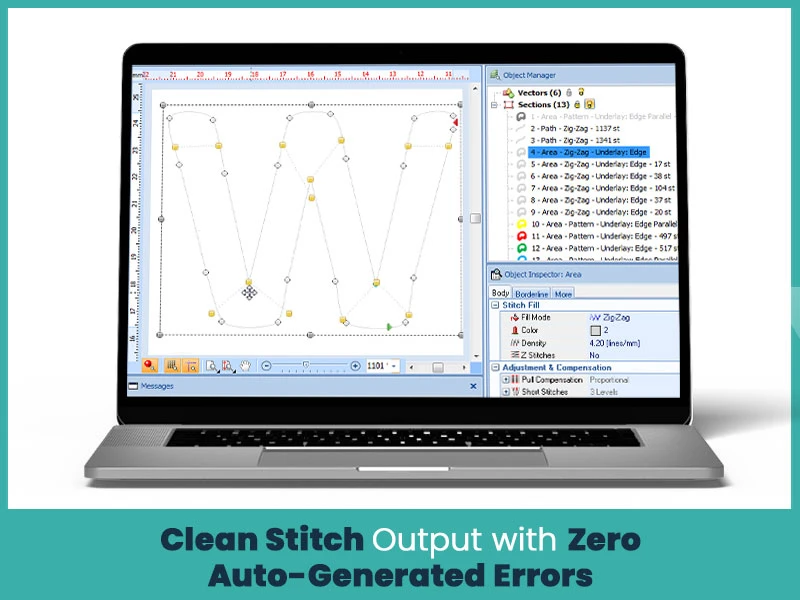
With correct density, trim commands and stitch maps, the embroidery will look as you wanted. No shifting, no distortion and no loose edges.
Converting SVG designs into an embroidery design is possible but it needs more attention than you think. Stitches don't behave like digital curves and fabric tension needs proper control. Manual digitizing ensures you get clean results and smooth runs on your machine. If you want your SVG artwork converted into a ready to stitch embroidery file. True Digitizing is here with a wide range of services to help with accurate stitch planning and correct formatting.
Nick William has been immersed in the world of embroidery digitizing for over 20 years, earning 25 industry awards throughout his career. As a 3rd generation embroidery expert, Nick’s journey started in his family’s workshop, where he learned the art of digitizing before the rise of modern software. He has worked with leading commercial embroidery businesses and has shared his expertise with over 75,000 home and professional embroiderers. As an author at True Digitizing, Nick is passionate about teaching others how to create beautiful, precise designs through easy-to-follow tutorials and expert advice.
Categories
Embroidery Digitizing Services: Which Type Do You Need?
17-08-2026
How to Remove Embroidery From Any Fabric — Step-by-Step Guide 2026
15-07-2026
Is SVG a Vector File? Yes — SVG vs EPS, PNG, PDF Vector Formats you need to know
08-07-2026
Embroidery Trends 2026: What's Hot in Machine & Hand Embroidery | TrueDigitizing
26-06-2026
Top Best Embroidery Digitizing Software in 2026
06-05-2026
Best Multi-Needle Embroidery Machines for Startups (2026)
28-02-2026
DST File: The Complete Guide (What It Is, How to Create, Convert & Use in 2026)
28-02-2026
Janome 550E vs Baby Lock Flare | Best Mid-Range Embroidery Machine?
26-02-2026
Choose the Right Fabric for Embroidery
20-02-2026
Advanced Techniques in Embroidery Digitizing
19-02-2026
Asked Questions