




At True Digitizing, we transform your creative spark into flawless, high-quality embroidery digitized designs that bring your vision to life.
Our Blogs
We Accept

Copyright 2025 Truedigitizing






At True Digitizing, we transform your creative spark into flawless, high-quality embroidery digitized designs that bring your vision to life.
We Accept
Copyright 2025 Truedigitizing
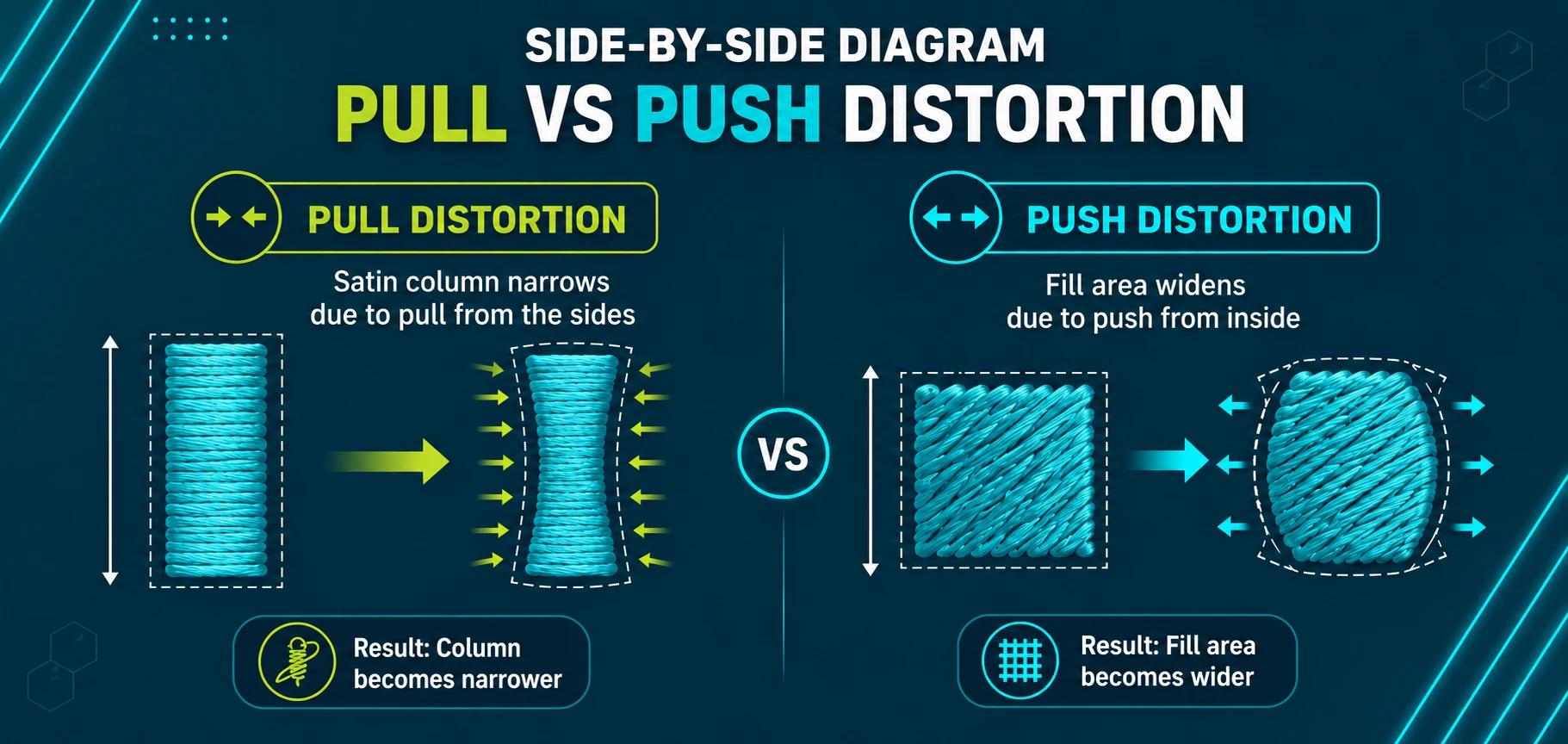


Push and pull compensation means widening satin columns and tightening fill areas before stitching so the finished embroidery matches your digital design. Pull compensation typically adds 0.15mm-0.3mm to narrow satin columns, while push compensation trims roughly 0.3mm-0.5mm from wide fill edges — the exact amount depends on stitch type, density, and fabric stretch.
If you have been digitizing for a while, you already know the frustration: a design looks flawless on screen, but once it's stitched, the letters close up, the columns look thinner than you drew them, and wide fill areas balloon outward past their outlines. This is push and pull compensation at work — or rather, the lack of it. Every needle pass tugs the fabric slightly, and unless you build that movement into the digitizing file ahead of time, the finished embroidery will never match the artwork.
This guide breaks down exactly how much compensation to use for satin, fill, and run stitches, how fabric type changes those numbers, and the step-by-step techniques True Digitizing uses to keep columns, fonts, and large fills accurate before a file is ever exported to DST.
Tired of files that stitch out distorted?
True Digitizing has completed 20,000+ designs for USA embroiderers over 13+ years, building correct pull and push compensation into every file before it ships.
Get a Free Quote — True DigitizingEvery stitch that passes through fabric pulls the threads of the weave slightly toward its own center. Satin columns — dense parallel stitches running side to side across a shape — pull the fabric inward, which is why a 5mm-wide column on your screen can stitch out closer to 4.5mm. Fill stitches, which travel back and forth across a wider area, do the opposite: they push the fabric outward along the direction the stitches travel, so a perfect circle can stitch out as a slightly wider oval.
Compensation is the digitizing adjustment that cancels this out. You widen columns that will pull inward and trim fill edges that will push outward, so the final stitched shape lands back on the outline you actually drew.
Pull compensation shows up most on satin columns, small lettering, and thin outlines — anywhere the stitch width is narrow enough for the fabric's natural tension to squeeze it inward. You'll notice it when:
- A column that measured 3mm in your design software stitches out closer to 2.5mm.
- Small letters lose their stroke width and become hard to read.
- An outline no longer lines up with the fill or applique shape it's meant to trace.
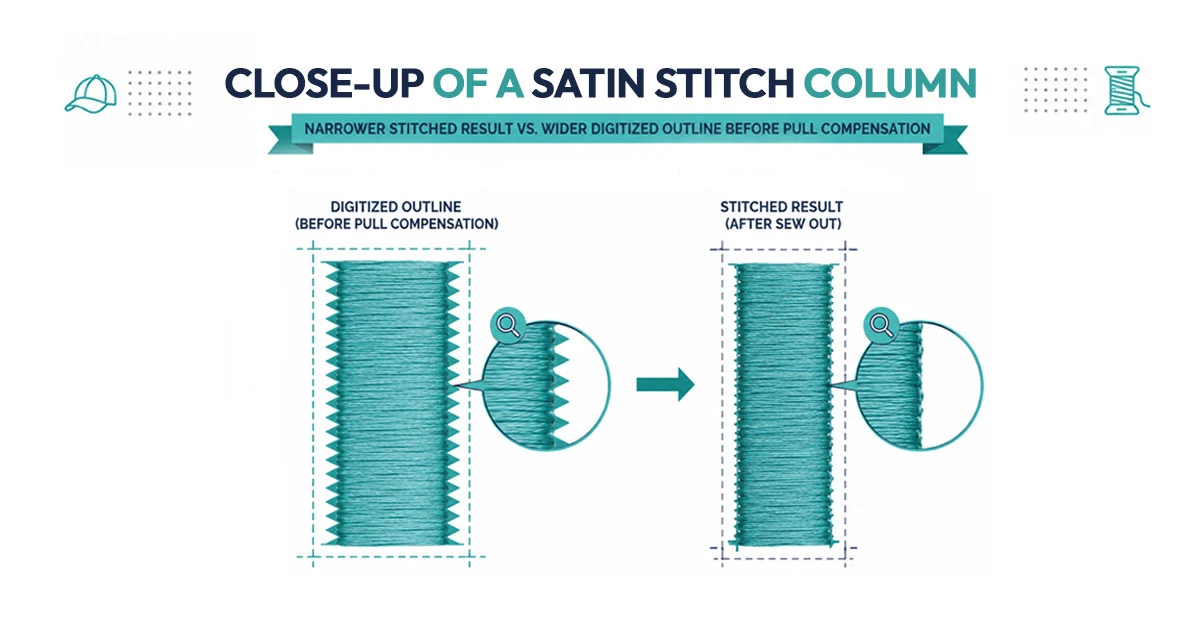
Push compensation works in the opposite direction. Fill stitches lay thread back and forth in rows, and each pass nudges the fabric slightly along the stitch direction. Over a large fill area, that small movement adds up, so a shape can stitch out 5-10% wider than it was drawn — enough that a circle becomes an oval or a square loses its sharp corners.
To counter this, digitizers pull the fill's edge inward by a small margin before stitching, and often break long stitch runs into shorter, alternating sections so the fabric isn't pushed the same direction every pass.
There's no single universal number, since fabric stretch and stitch density both change the result. That said, these are the starting ranges most digitizing software and experienced digitizers work from before fine-tuning on a test stitch-out:
| Stitch Type | Typical Starting Range | Adjust Up When |
|---|---|---|
| Satin column (2-4mm wide) | 0.15mm-0.2mm pull comp | Column is narrower than 3mm or on stretchy fabric |
| Satin column (5-7mm wide) | 0.25mm-0.3mm pull comp | Wider columns pull proportionally more |
| Fill stitch (standard density) | 0.3mm-0.4mm push comp | Fill area is large or density is increased |
| Run/outline stitch | Minimal to none | Tracing a satin or fill edge that already has comp applied |
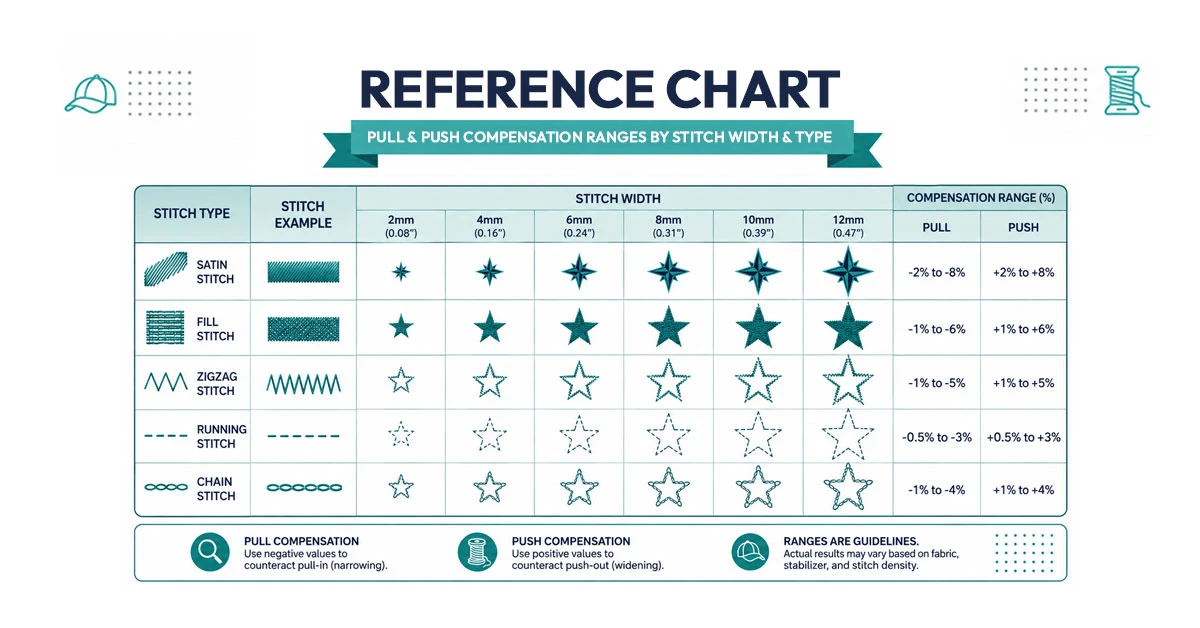
The values above are a starting point for a stable, mid-weight woven fabric. Softer or stretchier materials distort more, so compensation needs to increase, while stiff, dense fabrics need less:
Stretchy, loosely woven fabrics like fleece and terry cloth move more under the needle, so both pull and push compensation should sit at the higher end of the range — and a firm, correctly matched stabilizer becomes just as important as the compensation numbers themselves.
Let True Digitizing handle the compensation math for you
True Digitizing delivers stitch-ready files within 24 hours — trusted by 5,000+ USA embroiderers. Every column, fill, and font is compensated for your exact fabric before it ships.
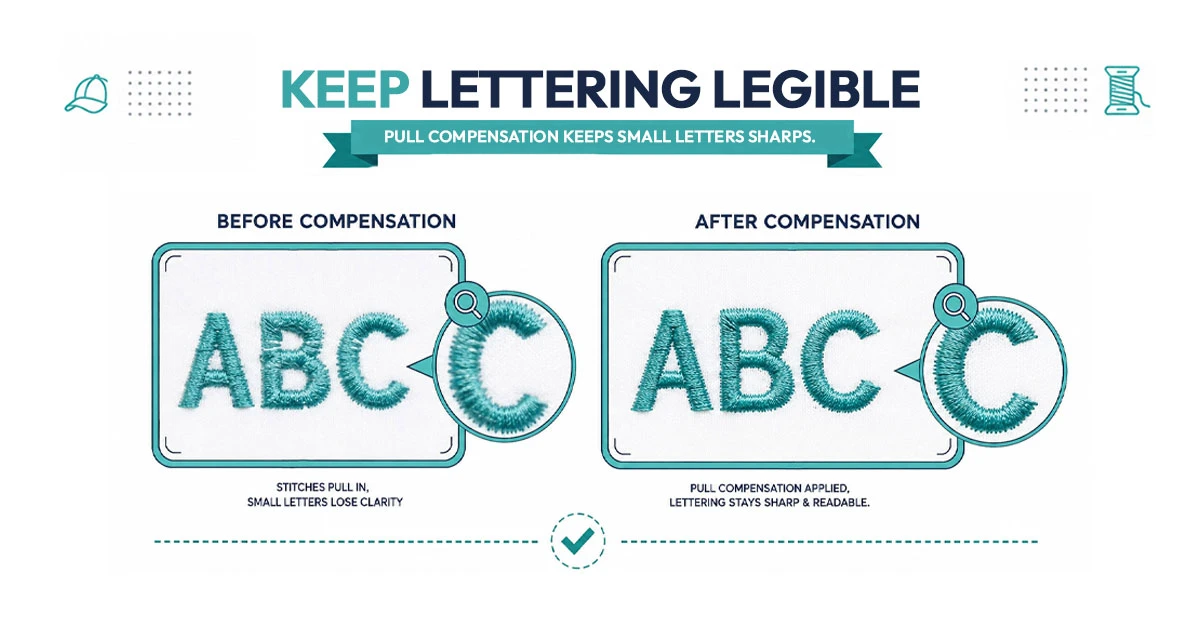
Start My Order at True DigitizingSmall lettering is where compensation mistakes show up fastest, because there's so little stitch width to work with. For text under 6mm tall and any column narrower than 2.5mm:
- Increase pull compensation slightly beyond the standard range so strokes don't close up.
- Lower the stitch density a touch — over-dense small columns pull harder and can even punch through the fabric.
- Use a firm, continuous underlay (edge walk or zigzag) so the letters have something stable to sit on.
- Avoid true serif fonts with very thin strokes below about 4mm; a rounded sans-serif digitizes far more reliably.
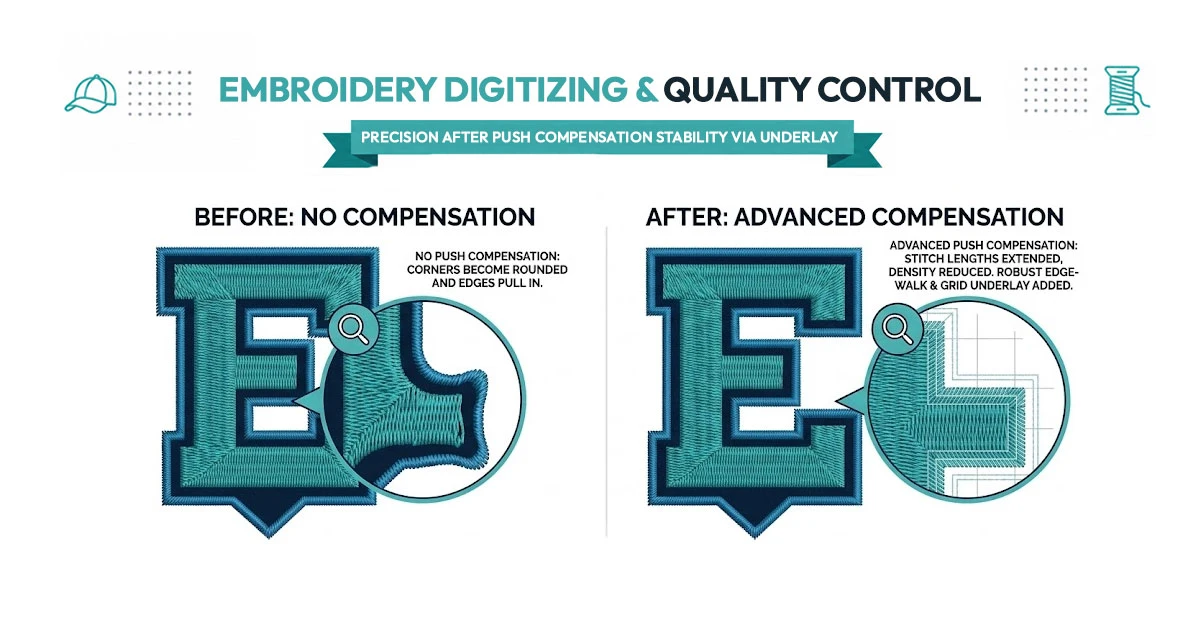
Large fill areas need the opposite kind of attention — the concern isn't legibility, it's shape drift. For big logos, bold text, and wide background fills:
- Break one large fill into two or three smaller sections with different stitch angles to spread the push distortion.
- Trim the digitized outline in slightly on the sides that run parallel to the stitch direction, since that's where push compensation matters most.
- Add a stronger underlay under dense fills so the base layer resists the movement of the top stitching.
- Watch corners and curves closely in your preview — square corners round off first when push compensation is missing.
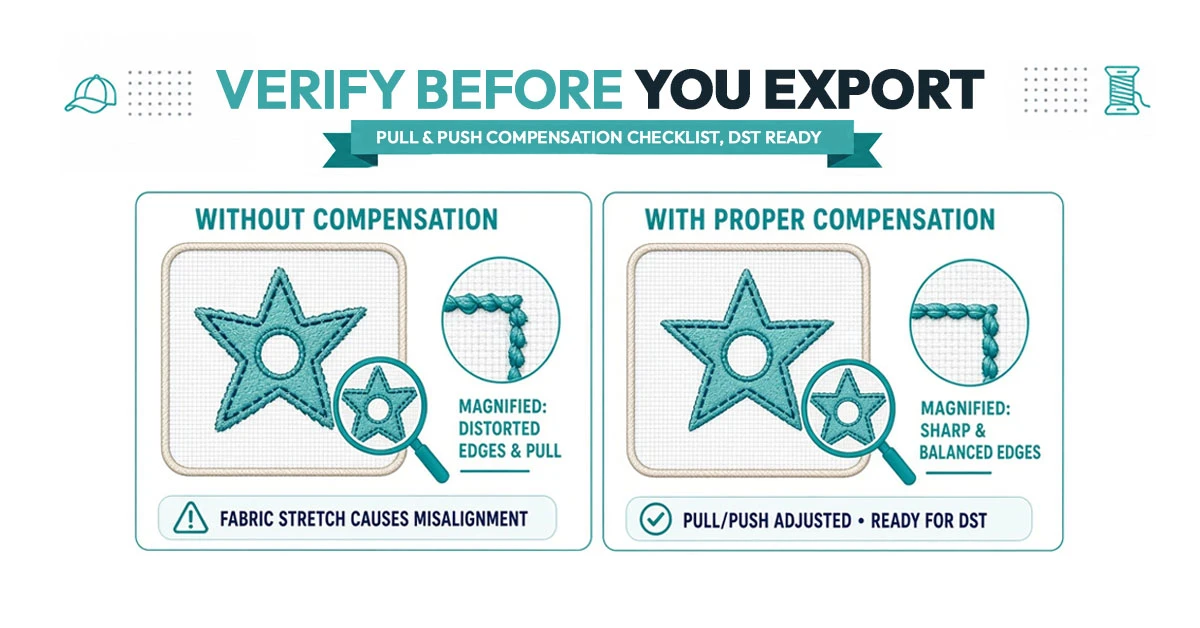
Run through this before exporting any final file:
1. Are narrow columns (under 3mm) given extra pull compensation?
2. Is the underlay type matched to the top stitch (edge walk for satin, zigzag for fill)?
3. Are large fills split or angled to spread push distortion?
4. Do outlines still align with the fill or applique shapes they trace?
5. Has the compensation been checked against the actual fabric and stabilizer you're using — not just a generic preset?
6. Has a physical test stitch-out confirmed the digital preview?
Most compensation problems trace back to one of these habits:
- Using one compensation setting for every fabric. A value that works on cotton twill will under-compensate on fleece and over-compensate on denim.
- Raising density without revisiting compensation. Denser stitching pulls harder, so the two settings need to move together.
- Skipping the underlay. Without a stable base layer, no amount of compensation math will hold small text or fine columns in place.
- Trusting the on-screen preview alone. Software simulations are a guide, not a guarantee — the only real proof is a stitch-out on the actual fabric.
- Ignoring stitch direction on large fills. Running every pass the same direction concentrates push distortion instead of spreading it out.
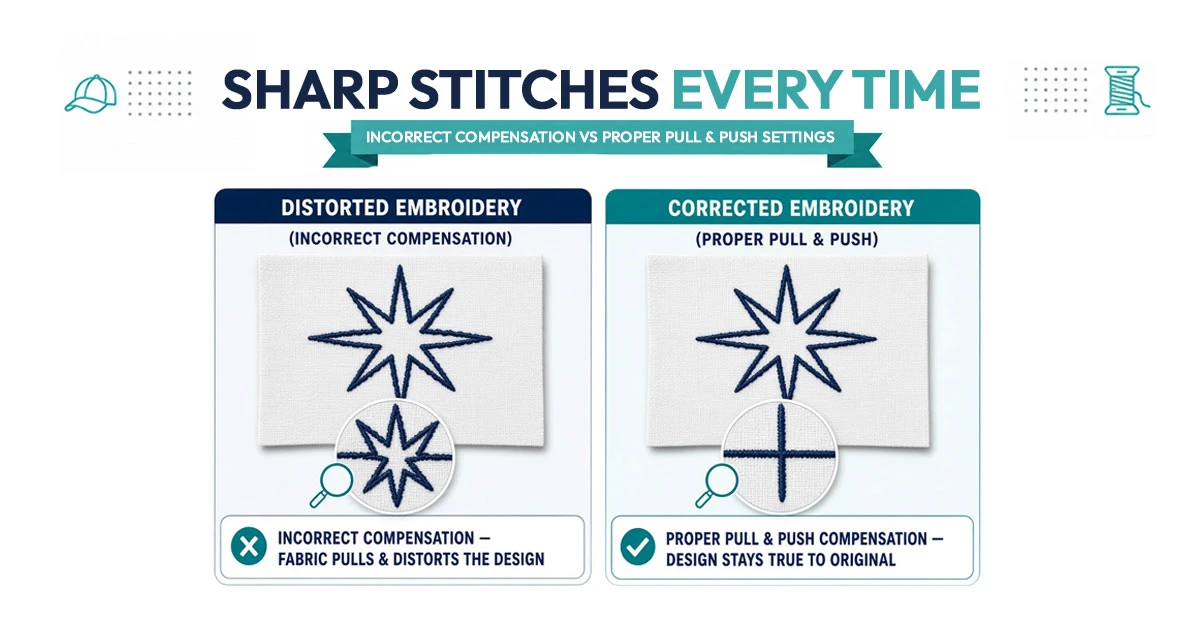
Pull and push compensation is one of those digitizing fundamentals that's easy to underestimate until a bulk order comes back with closed-up lettering or lopsided fills. Once you understand how satin pulls inward and fill pushes outward, you can build the right adjustment into every file from the start — for every fabric, every stitch type, and every size of logo you digitize.
custom embroidery digitizing and applique embroidery digitizing both depend heavily on getting compensation right, especially on detailed logos and multi-fabric orders. If you'd rather skip the trial-and-error, True Digitizing builds correct compensation into every file before it's sent back to you.True Digitizing has helped 5,000+ USA embroiderers get professional stitch files since 2013. Every column, fill, and font is compensated for your exact fabric so it stitches out the way you designed it.
Get My Design Digitized by True Digitizing →Fast turnaround · truedigitizing.com · 100% satisfaction guaranteed
Further reading: Wilcom's guide to push and pull compensation and Hatch's official documentation on pull compensation cover how each software package implements these settings. For related digitizing fundamentals, see True Digitizing's guides on satin stitch vs. fill stitch, embroidery underlay stitching, and how to improve embroidery digitizing quality.
TrueDigitizing's team of embroidery digitizers and file conversion experts — delivering practical guides for home hobbyists and commercial shops alike. Our specialists cover the full range of embroidery production: custom digitizing for machine embroidery, vector art conversion, and physical embroidered patch manufacturing — with a 6-hour turnaround on digital files and worldwide patch delivery in 5 business days. Every article we publish comes from the same people handling real production orders daily. When we write about stitch density, underlay settings, or file formats, it is because we work with these variables across hundreds of client files every week — not because we researched them from the outside.
Categories

Embroidery Digitizing Services: Which Type Do You Need?
17-08-2026

How to Remove Embroidery From Any Fabric — Step-by-Step Guide 2026
15-07-2026

Is SVG a Vector File? Yes — SVG vs EPS, PNG, PDF Vector Formats you need to know
08-07-2026

Embroidery Trends 2026: What's Hot in Machine & Hand Embroidery | TrueDigitizing
26-06-2026

Top Best Embroidery Digitizing Software in 2026
06-05-2026

Best Multi-Needle Embroidery Machines for Startups 2026
28-02-2026
DST File: The Complete Guide (What It Is, How to Create, Convert & Use in 2026)
28-02-2026

Janome 550E vs Baby Lock Flare | Best Mid-Range Embroidery Machine?
26-02-2026

Choose the Right Fabric for Embroidery
20-02-2026

Advanced Techniques in Embroidery Digitizing
19-02-2026
Asked Questions