




At True Digitizing, we transform your creative spark into flawless, high-quality embroidery digitized designs that bring your vision to life.
Our Blogs
We Accept

Copyright 2025 Truedigitizing






At True Digitizing, we transform your creative spark into flawless, high-quality embroidery digitized designs that bring your vision to life.
We Accept
Copyright 2025 Truedigitizing


If you've ever tried to turn artwork into a clean stitch file and ended up with a tangled mess, you know the pain. The right embroidery digitizing software makes all the difference & the wrong one? It'll waste your time, fabric & efforts.
By the way, the embroidery industry is worth over $4 billion globally right now & more people than ever are jumping in, hobbyists, small business owners, and large commercial businesses alike. So deciding the right software for your needs isn't just a wise decision, it's basically essential.
In this guide, we're going through the top best embroidery digitizing software in 2026, what they offer, what they cost, who they're good for and whether they're worth your money. If you're new or running a large business, there's something on this list for you.
Let's get into it.
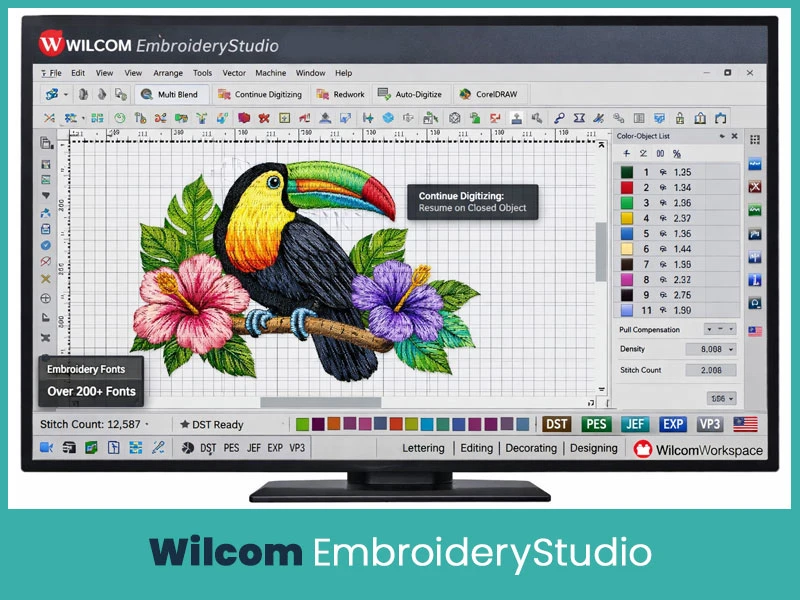
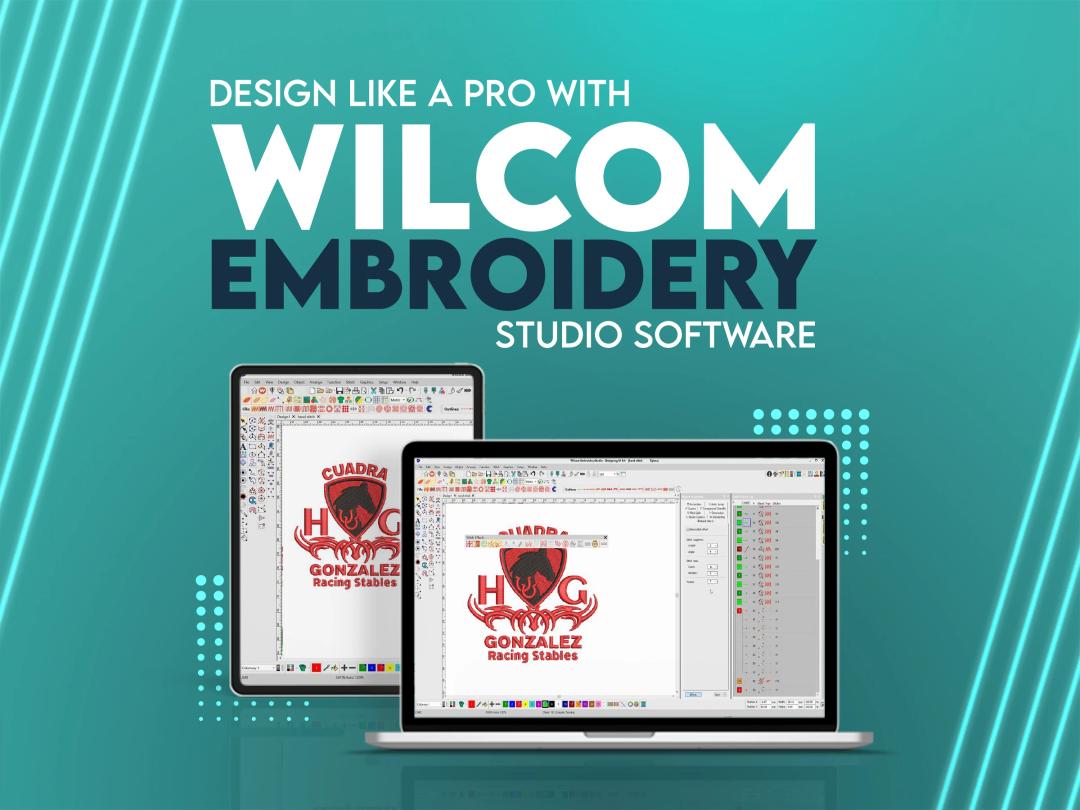
If you've been in the embroidery world for any amount of time, you've heard of Wilcom. It's basically the gold standard. Wilcom has been in the game since 1983, and their latest release EmbroideryStudio is genuinely impressive. It's trusted by over 395,000 users across 120+ countries, and it's the software most professional digitizing businesses use.
The 2026 version brought some really exciting new features to the table. The Multi Blend Tool is an industry first, it lets you blend layers, colors, and textures in real time, which is something no other software does at this level. There's also a "Continue Digitizing" feature that lets you pick up right where you left off on any closed object. For production teams, the streamlined one-click export is a massive time saver.
If you're serious about embroidery digitizing, Wilcom is the one to beat.
- Industry-first Multi Blend Tool for multi-layer color and stitch blending.
- Continue Digitizing on existing closed objects.
- Redwork Automation for outlines and artwork.
- Precision grids and advanced snap-to-objects controls.
- Independent pull compensation for each side of a design.
- Seamless CorelDRAW integration for vector editing.
- Auto-digitize bitmaps with one click.
- 200+ professional embroidery fonts.
- Supports all major file formats: DST, PES, JEF, EXP, XXX, VP3, and more.
- Available in four levels: Lettering, editing, decorating, and designing.
- WilcomWorkspace cloud-based platform included.
- Supports 14 languages.
- Compatible with Dahao embroidery machines via DHE file format.
- Windows 10 and Windows 11 (64-bit) only.
- 14-day free trial available.
Warranty Period: A period of 90 days from the date of delivery of the Software.
Good For: Professional digitizers, commercial embroidery shops, apparel decorators & production teams.
Price: Starts at around USD $149/ month (subscription) for the Designing level. The Decoration (professional) level goes up to USD $79/ month.
True Digitizing is expert in using the best embroidery software for embroidery designs. If you don’t have expertise in embroidery software programs, have bulk orders, and want to outsource your projects, True Digitizing is the best option. We have been working in this industry for a decade, our team of digitizers is experts at using embroidery software tools to deliver quality work, for this reason our customers are 100% satisfied. We digitize your rough artwork into perfection, so don't wait if you want to digitize designs at the most affordable prices.
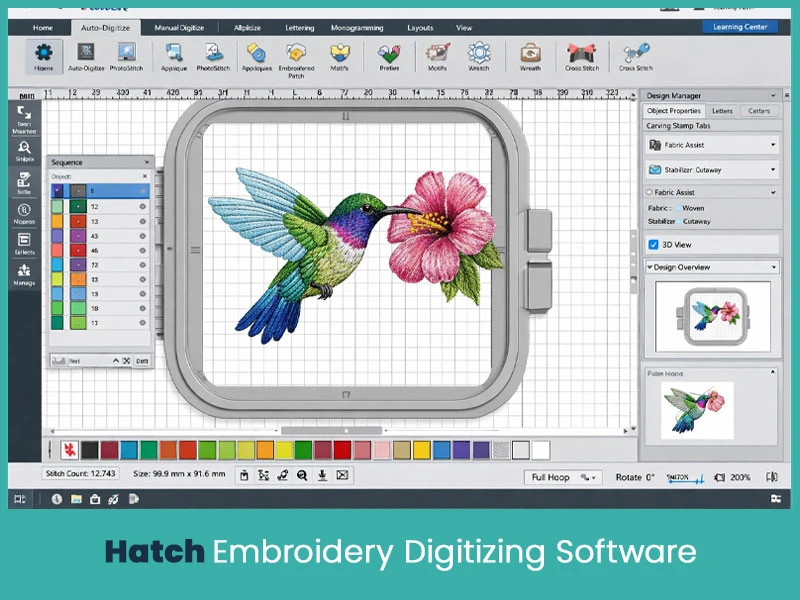
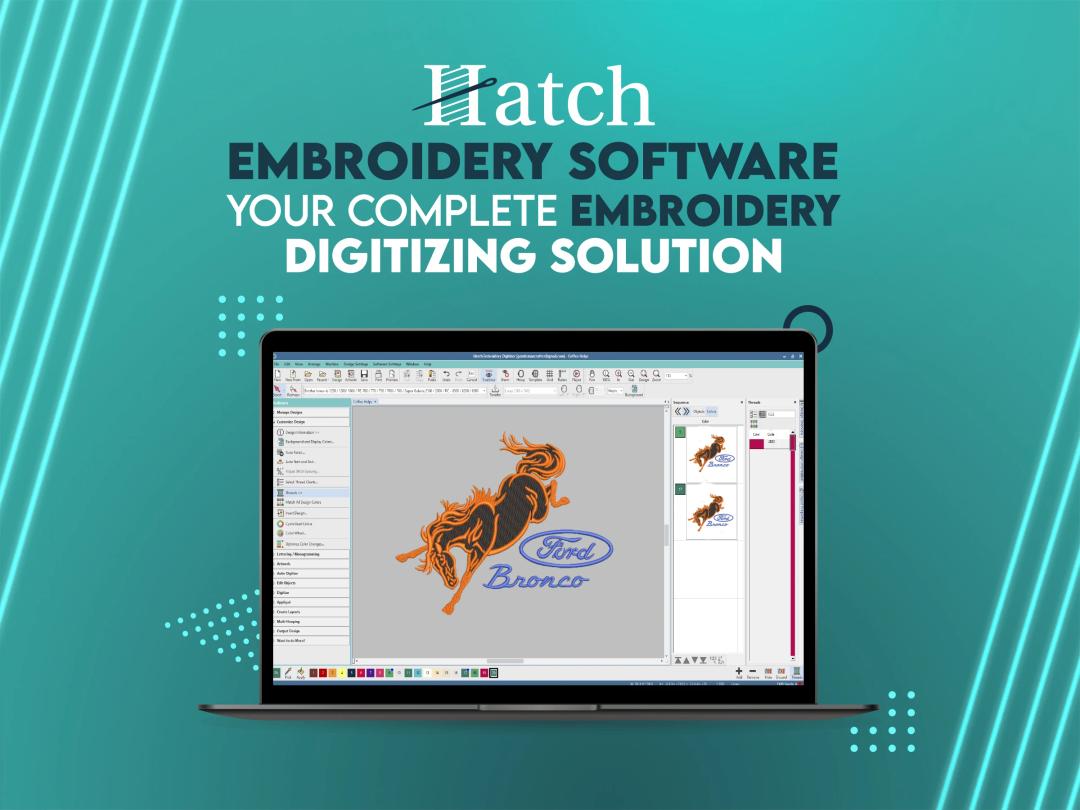
Hatch is basically Wilcom's younger sibling, made by the same company but aimed at home users and hobbyists. That said, don't let "home user" fool you. Hatch Digitizer 3 is actually pretty powerful and a lot of professionals use it too.
What makes Hatch stand out is how easy it is to pick up, even if you've never digitized a thing in your life. The auto-digitizer works really well, the interface is clean, and it comes with over 400 expert lessons if you grab the digitizer level. It supports over 35 machine formats and works with both Windows and Mac (via Parallels).
- Manual and auto-digitizing features (8 auto-digitize methods).
- Over 124 professionally digitized fonts.
- PhotoStitch/PhotoFlash to convert photos into embroidery.
- Fabric assist for automatic fabric-based stitch adjustment.
- 400+ ornaments and 300+ motifs.
- Color blending, resizing, and recoloring tools.
- Cross-stitch tools included.
- Multi-hooping support for large designs.
- Over 35 machine file format exports (PES, DST, JEF, VP3, etc.).
- 3D design simulation and preview.
- Compatible with Windows and Mac (Mac via Parallels).
- 30-day free trial with all 4 levels unlocked.
Warranty: 30-day money-back guarantee.
Good For: Beginners, home hobbyists, and small to mid-level businesses.
Price:
- Organizer: $149
- Personalizer: $249
- Composer: $599
- Digitizer: $1099
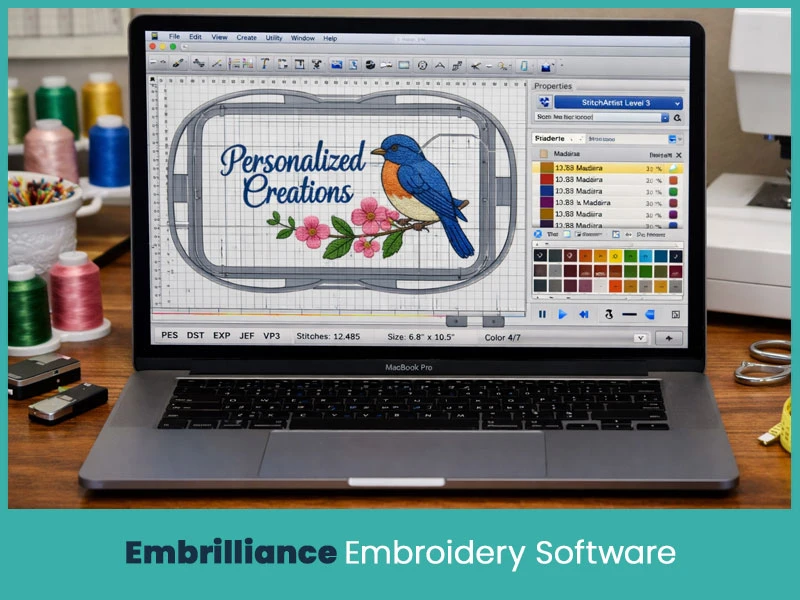
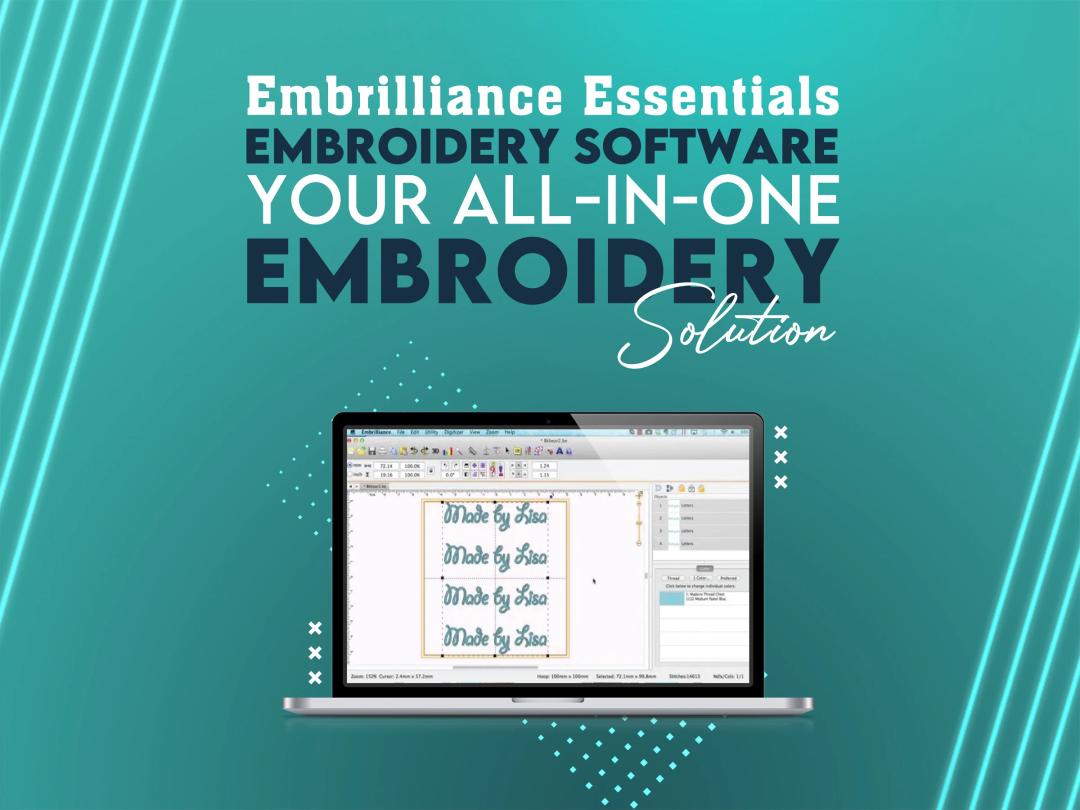
Embrilliance is one of those tools that just makes sense. It's modular, meaning you only buy the parts you actually need. If all you need is lettering, grab Embrilliance Express (free). If you want to digitize from scratch, add StitchArtist. If you want the full set, go for the Platform bundle.
One of the biggest things going for Embrilliance is that it runs natively on Mac. Most embroidery software is Windows-only, so this is a big deal for Mac users who don't want to run Parallels. It's not the most powerful tool out there, but for everyday editing, lettering, and small business work, it's actually a really solid choice.
- Modular system — purchase only what you need.
- Runs natively on both Windows and Mac.
- BX font support for keyboard-input lettering.
- Auto-density management and underlay generation.
- Multi-hooping support for large designs.
- Thread color management with Madeira, Isacord, and other brand libraries.
- Stitch-by-stitch preview and simulation
- Import/export support for PES, DST, JEF, and other formats.
- Compatible with most major embroidery machine brands.
- No dongle required.
Warranty: If you really cannot use their product effectively, they will return it within 90 days.
Good For: Mac users, hobbyists, small business owners, and people who want flexible pricing without committing to a full suite.
Price: Starts at $139.00 (Essentials). The StitchArtist modules level 1 to level 3, range from $169 to $649, depending on level. Full platform bundle pricing available on their website.
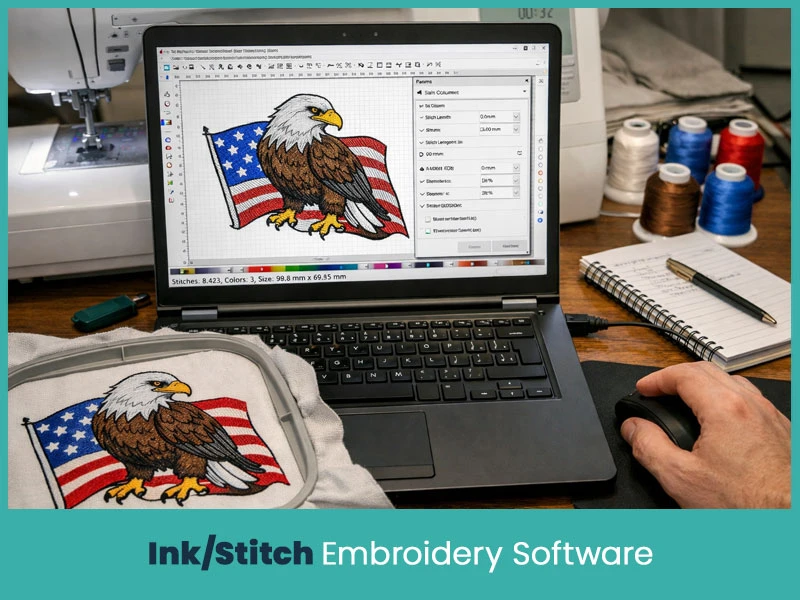
If your budget is zero dollars and you're willing to put in a little learning time, Ink/Stitch is genuinely impressive. It's a free, open-source plugin for Inkscape, and it lets you do full manual digitizing from scratch. It runs on Windows, Mac, and Linux, which is pretty rare even among paid tools.
The learning curve is real, though. It's not a plug and play kind of tool. If you've never used vector graphics before, expect to spend some time learning Inkscape first. But once you get the hang of it, it gives you surprising control over your designs.
- Completely free and open-source (GNU GPL v3.0).
- Cross-platform: Windows, Mac, and Linux.
- Runs as an extension inside Inkscape (free vector software).
- Satin, fill, running, and specialty stitch types supported.
- Manual stitch placement for full design control.
- Advanced Bézier Spline digitizing (updated in 2026).
- Stitch path optimization tools.
- Lettering system with a growing font library.
- Thread palette support from 60+ manufacturers.
- Export to PES, DST, EXP, JEF, and many other formats.
- Detailed PDF output for machine operators.
- Active community and growing documentation.
Warranty: No official warranty; community-supported open-source project.
Good For: Beginners on a budget, hobbyists, designers with vector experience, and anyone who wants professional-level control without spending money.
Price: Free (100% open-source)
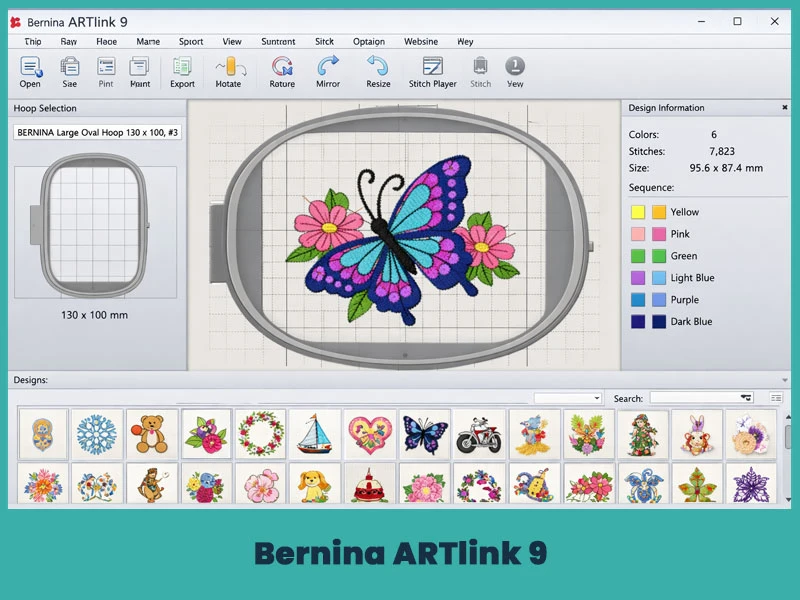
Bernina is a Swiss brand known for making premium sewing and embroidery machines. ARTlink 9 is their free entry-level software. It's not a full digitizing suite, you can't create designs from scratch here. But if you already have designs and just need to edit, resize, convert formats, or send files to your Bernina machine, it does the job well.
Think of it as a solid utility tool. It's clean, it's easy to use, and it's completely free.
- Free to download from the Bernina website.
- Opens and converts a wide range of embroidery file formats.
- Basic editing tools: resize, rotate, mirror.
- Hoop selection for various Bernina machine models.
- Stitch preview and stitch player feature.
- Design placement tools for precise positioning.
- File conversion for machine-ready exports.
- Over 70,000 embroidery designs.
Warranty: Supported by Bernina as free software. No formal warranty.
Good For: Bernina machine owners who need basic editing and file conversion. Not for creating new designs.
Price: Free
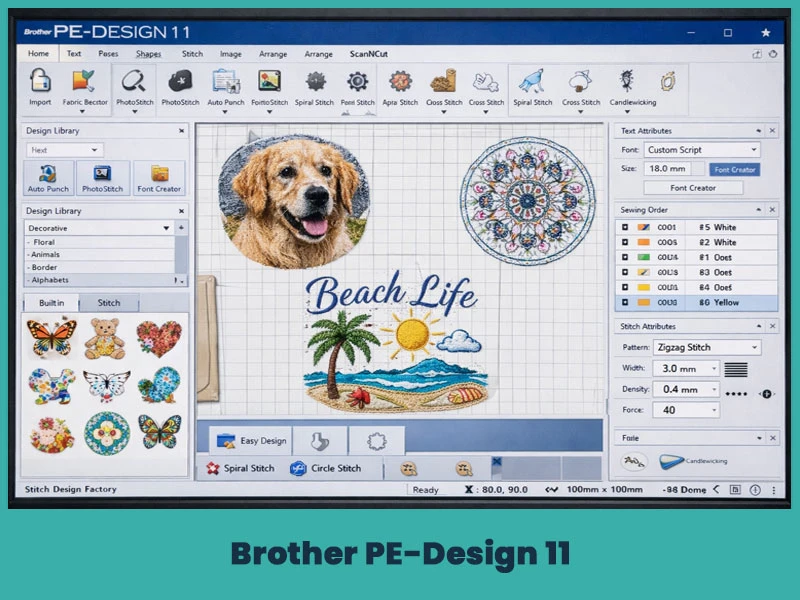
Brother PE-Design 11 is made specifically for Brother machine users, and it works really smoothly within that ecosystem. It's not trying to compete with Wilcom on professional power, but if you own aBrother machine, especially the Luminaire series, this software makes your life a lot easier.
The wireless transfer to Luminaire XP machines is a genuinely useful feature. You can also do a solid amount of creative work here: PhotoStitch, cross-stitch, custom fonts, and fabric-aware stitch settings are all included.
- Over 1,000 built-in designs and 130+ fonts.
- PhotoStitch and Auto Punch Wizard for photo-to-embroidery conversion.
- Fabric Selector, auto-adjusts stitch settings based on fabric type.
- Intelligent color sort to reduce thread changes.
- Flexible spiral and round stitch options for 3D effects.
- Font Creator tool for custom font mapping.
- ScanNCut FCM file compatibility.
- Wireless LAN transfer to Brother Luminaire XP1, XP2, and XP3.
- Stitch design factory for custom stitch patterns up to 100mm wide.
- Cross-stitch and candlewicking stitch support.
- Compatible with Windows (Mac not officially supported).
Warranty: 1-Year Limited Warranty.
Good For: Brother machine owners, home hobbyists, and small business embroiderers in the Brother ecosystem.
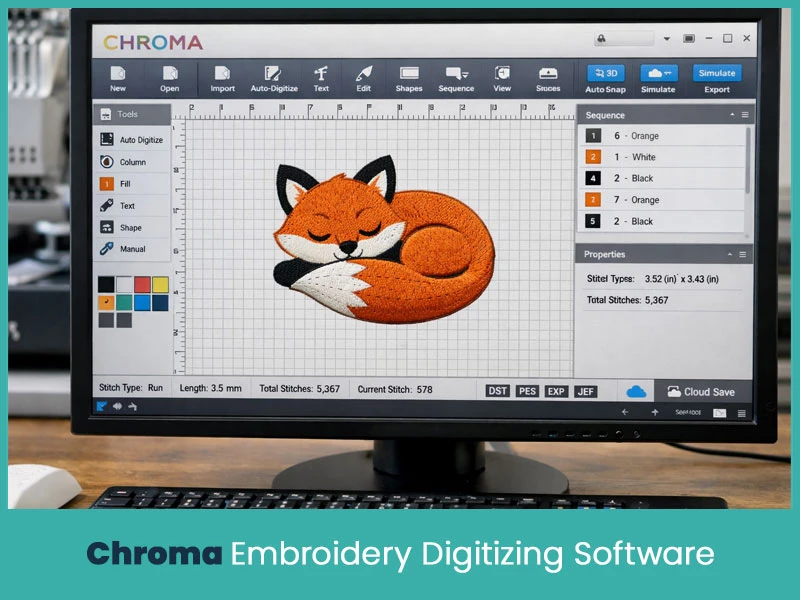
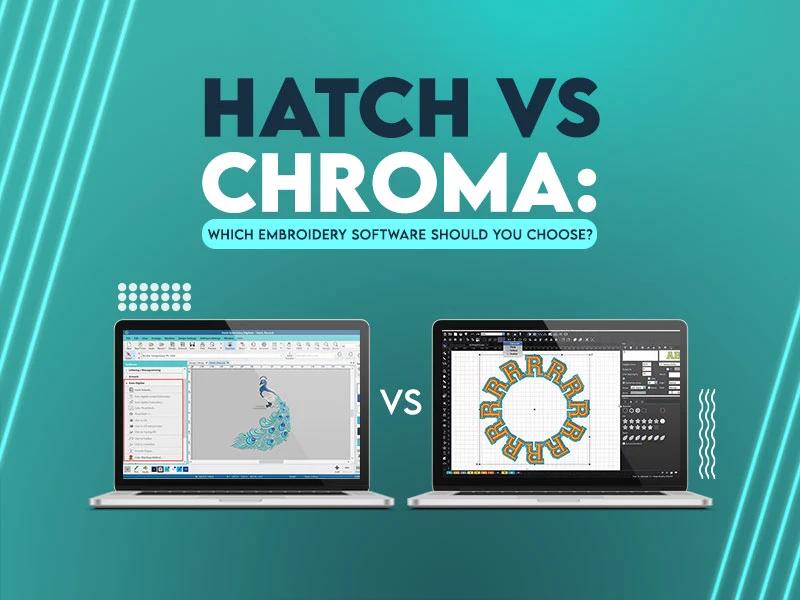
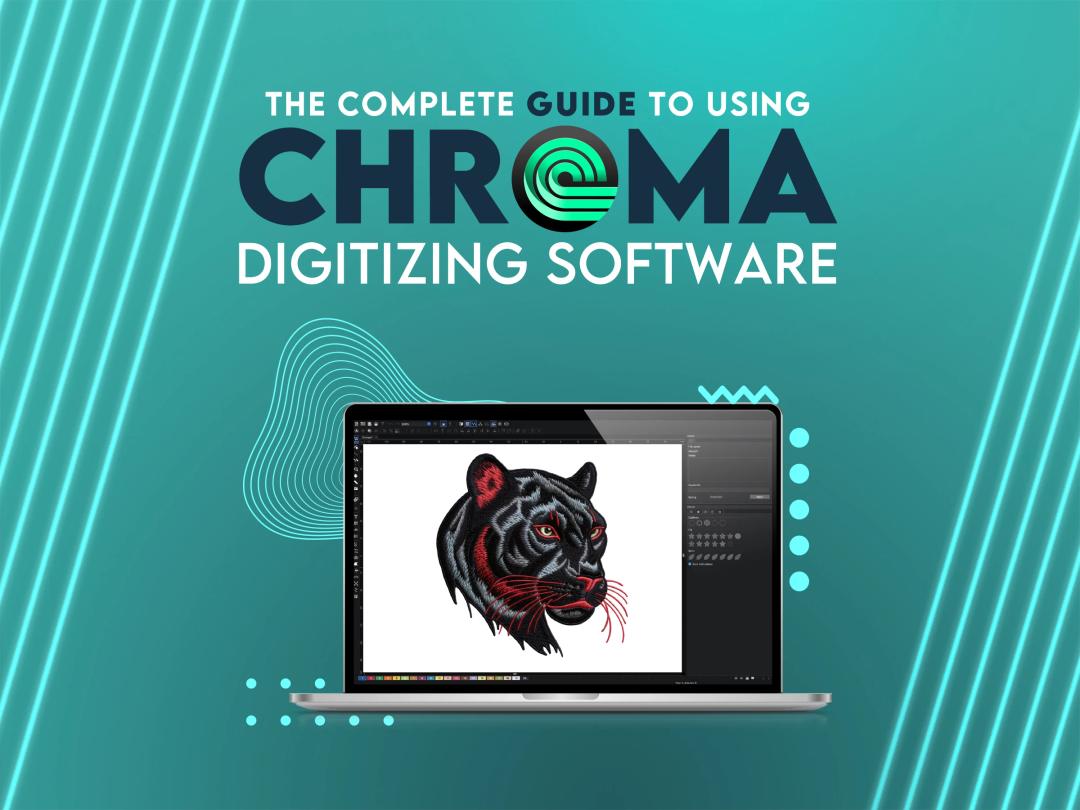
Chroma is Ricoma's cloud-based embroidery software and it's been growing in popularity fast — especially among beginners and small business owners. It's clean, modern, and much easier to get into than something like Wilcom or Tajima.
The Intelligent Snapping feature helps beginners align their paths properly, and the auto-digitizing tools work well for simpler logos and designs. If you use a Ricoma machine, Chroma comes bundled with it, which makes it a natural starting point.
- Cloud-based — no heavy local installation needed.
- Auto-digitizing with Intelligent Snapping.
- Standard file format support (PES, DST, etc.).
- Scalable pricing tiers for different business sizes.
- Beginner-friendly interface and workflow.
- Compatible with Ricoma machines and most other brands.
- Regular cloud updates.
Good For: Beginners, Ricoma machine owners, and small businesses looking for an easy cloud-based option.
Price: Chroma Inspire is available for $16 per month, Chroma Plus for $33 per month and Chroma Luxe for $41 per month.
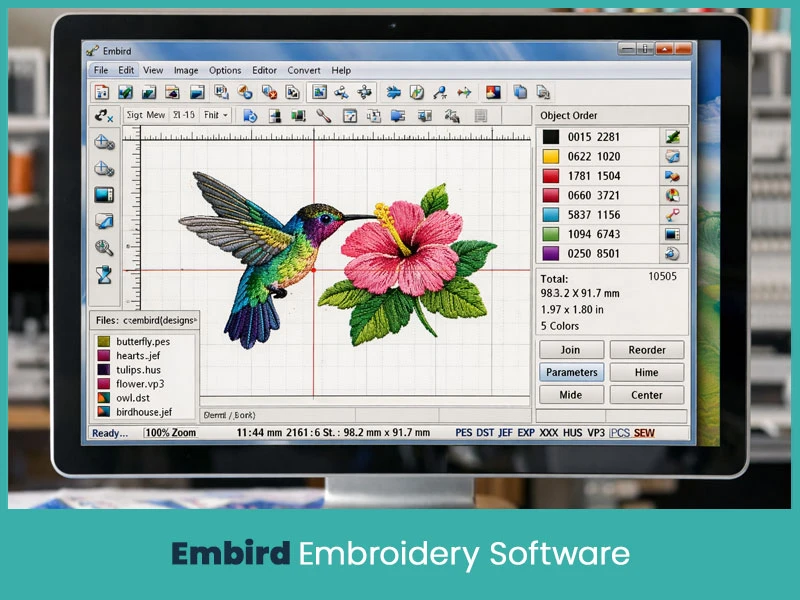
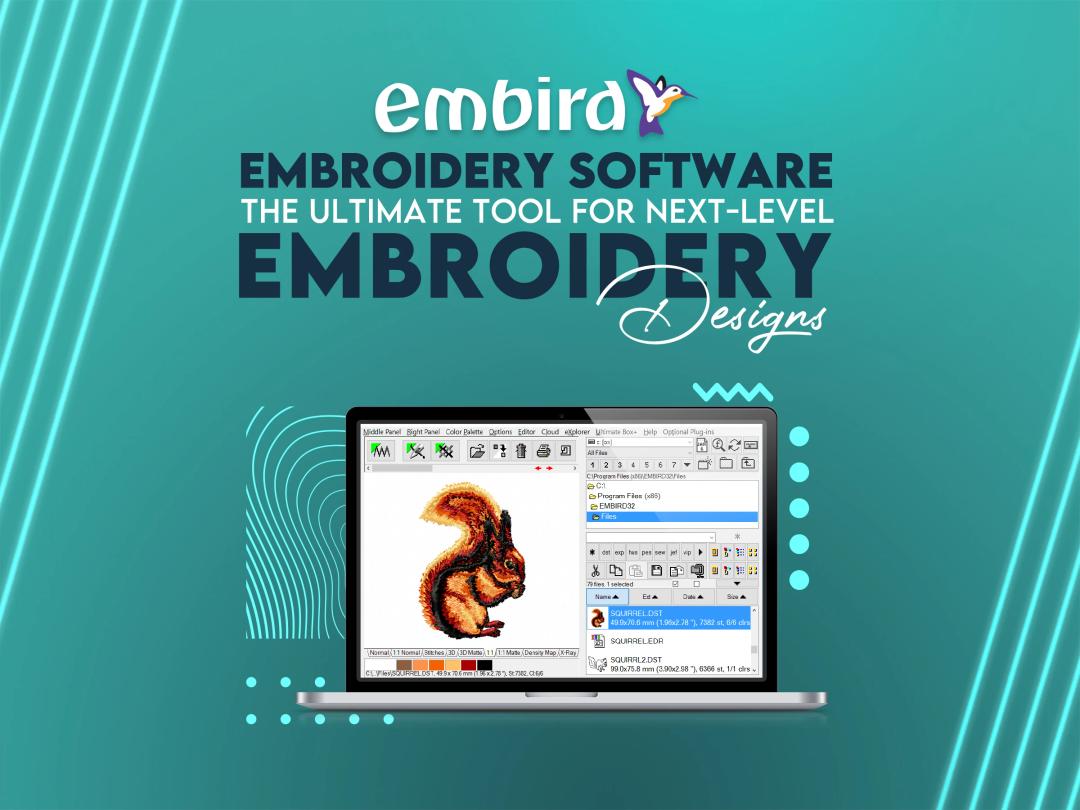
Embird has been around for years and has a loyal following. What's different about Embird is that it's modular, you start with the base program and add plug-ins based on what you need. This means you don't have to pay for a full suite if you only need a couple of features.
The base program handles file conversion and basic editing. If you want to digitize, add the Digitizing Studio plug-in. Want cross-stitch? Add that module. It's a pick-and-choose system that works well for people who know exactly what they need.
- Modular design, buy only the features you need.
- Supports 70+ embroidery file formats.
- Studio plug-in for advanced manual digitizing.
- Bézier spline digitizing for clean shapes.
- Sfumato Stitch module for photo-realistic thread blending.
- Cross-stitch and Font Engine modules available separately.
- Lightweight and runs well on mid-range computers.
- Frequent updates without full repurchase.
- Demo mode available with limited stitch count.
- Primarily Windows-based.
Warranty: 30-day money-back guarantee
Good For: Intermediate users, hobbyists, and professionals who want modular pricing and don't need an all-in-one suite.
Price: The base program starts around $149. Individual modules (Digitizing Studio, Sfumato, Cross-Stitch, Font Engine) typically range from $20 to $210 each.
.webp)
Tajima's DG16 is industrial-grade software built for commercial production floors. If you're running a multi-head Tajima machine setup and doing high-volume work, this is the kind of tool built for that environment. It's powerful, precise, and deeply integrated with Tajima hardware.
It comes in four grades: Creator, Composer, Illustrator Extreme, and Maestro, each with more features than the last. The Maestro level is the top-tier option for expert digitizers.
- Vector-driven digitizing with stitch-by-stitch editing.
- Branching, overlap removal, and graduated density controls.
- Large professional font library with auto-kerning.
- PulseCloud integration for design storage and remote machine monitoring.
- Tajima LAN networking for direct machine communication.
- Real-time analytics and automatic needle order.
- Supports specialty techniques like taping, cording, and coiling.
- Auto-outline, auto-applique, and auto-digitizing features.
- Built-in stitch simulator.
- Compatible with DST, EMB, PES, and other formats.
- Available in four grades: Creator, Composer, Illustrator Extreme, and Maestro.
Good For: Commercial embroidery shops, industrial production environments, and businesses running Tajima machines.
Price: Quote-based pricing through authorized Tajima dealers. Pricing is not publicly listed and varies by grade and region.
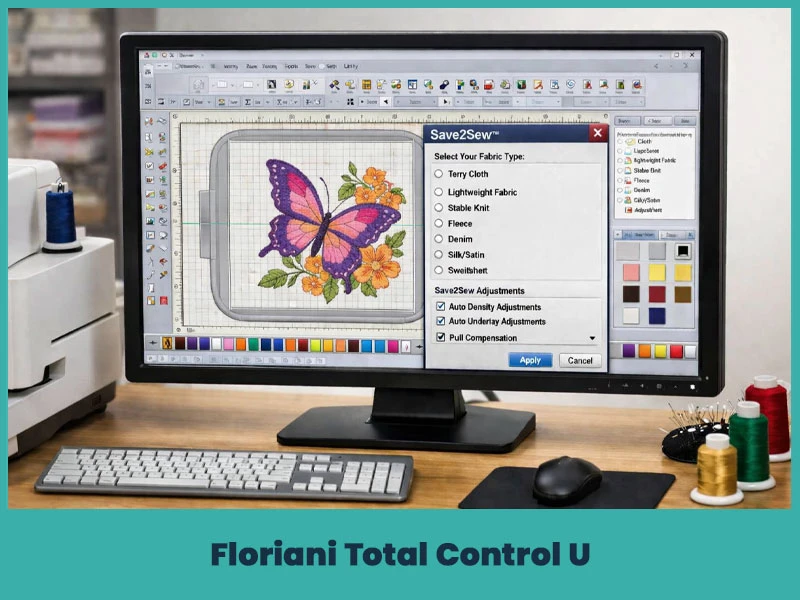
Floriani Total Control U is Walter Floriani's professional embroidery software and it's known for offering a lot of features at a competitive price point. It's a solid mid-range choice that works well for hobbyists and commercial embroiderers alike.
The Save2Sew feature is one of its standout tools, it automatically adjusts design density, underlay, and compensation based on the fabric type you select. That's a handy tool if you're working across different fabrics regularly.
- Save2Sew automatic fabric-based stitch adjustment.
- Design sequence optimization for efficient sewing.
- Supports multiple file formats: WAF, PES, SEW, JEF, DST, VP3, and many others.
- Resizing and merging of existing designs.
- Basic to intermediate digitizing tools.
- Thread color management.
- Simple and clean interface.
Good For: Hobbyists and commercial embroiderers who want solid features at a reasonable price.
Price: Available at various price points through authorized retailers. Entry-level pricing starts around $1,599.00 depending on the package.
Stitch Era Universal is a browser-based embroidery software, which means you don't need to download or install anything. It runs online and works across different devices, including mobile. It has both free and paid tiers, making it accessible for beginners who want to try out digitizing before committing to paid software.
- Browser-based — no download required.
- Works on multiple devices and operating systems.
- Basic stitch simulation and preview.
- Import/export for PES, DST, and other popular formats.
- Beginner-friendly interface.
- Free and paid versions available.
Good For: Beginners who want to learn digitizing basics without downloading heavy software. Also handy for on-the-go editing.
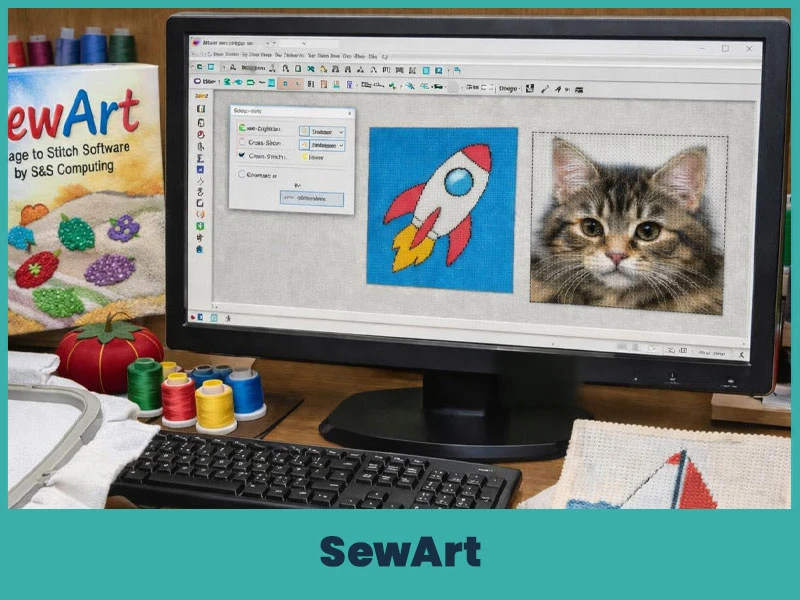
SewArt is an easy, budget-friendly option that's particularly popular for cross-stitch and specialty stitch work. It's made by S&S Computing and has been around for a while. It converts images into stitch files automatically, which makes it pretty beginner-friendly for simple designs.
The auto-digitizing works best with clean, simple artwork, logos with bold shapes, clip art, and simple illustrations. For complex photos or intricate designs, you'll likely need to do some manual cleanup afterward.
- Auto-digitizing from images (JPG, PNG, BMP, etc.).
- Cross-stitch module included.
- Sfumato Stitch effects for photo-realistic blending.
- Manual stitch angle and density controls.
- Basic format export for most embroidery machines.
- Simple, beginner-friendly interface.
- Trial version available before purchasing.
Good For: Beginners, hobbyists, and anyone doing cross-stitch or patch work with simple designs.
Price: Around $75 (one-time purchase)
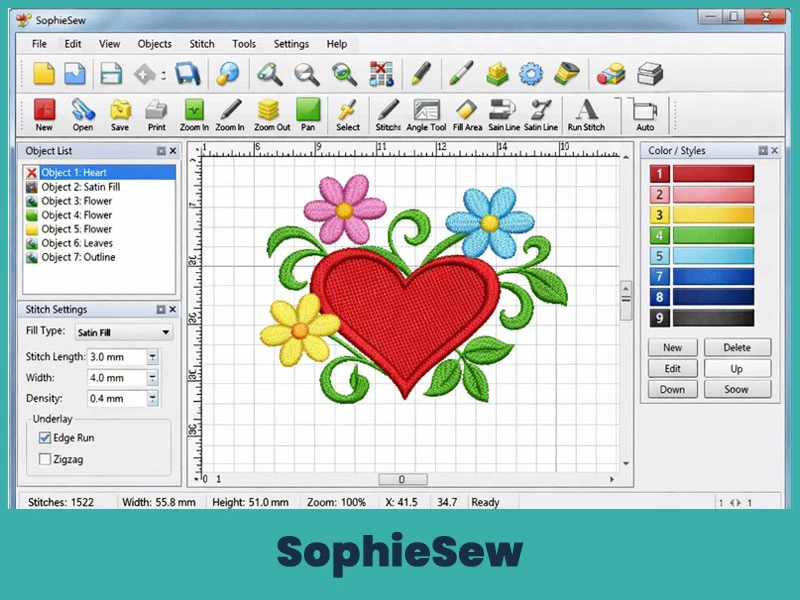
SophieSew is an older free embroidery digitizing software that's object-oriented in its design approach. It's been popular in the UK and Europe especially, and it's still a decent option for beginners who want to experiment with manual digitizing before spending money.
To be honest, development on SophieSew stopped in 2013, so it's not the most modern tool. But it still works for basic design work and learning the fundamentals of stitch paths.
- Free to download.
- Object-oriented design workflow.
- Manual digitizing with basic stitch types (satin, running, fill).
- Thread color and palette management.
- Design manipulation tools: copy, delete, rotate, resize.
- Basic format export.
- Windows-only.
Warranty: No active development or official support. Community-supported only.
Good For: Absolute beginners who want to learn digitizing basics at no cost.
Price: Free (available through third-party sites).
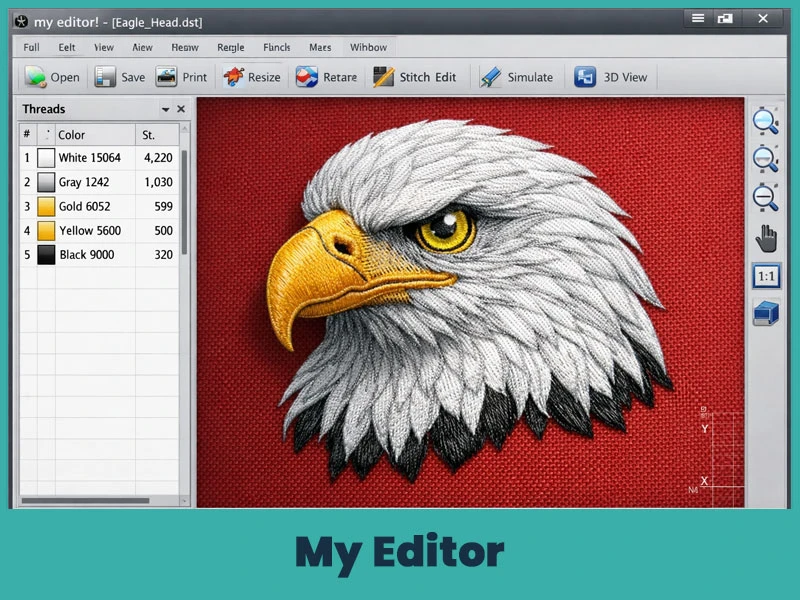
My Editor is a free embroidery design viewer and basic editor developed by Wings XP. It's not a full digitizing program — you can't create complex new designs here. But it's surprisingly useful for checking designs, editing existing files, and previewing how a design will stitch out before you send it to the machine.
The 3D previewer in 2026 has been optimized for high-refresh-rate monitors, giving a near-photorealistic view of how thread will look on fabric.
- Completely free.
- Design viewing and basic editing.
- 3D stitch preview — optimized in 2026 for high-refresh displays.
- File conversion between common formats.
- Basic stitch simulation.
- Gap and birdnesting risk check.
- Works on Windows.
Good For: Anyone who needs to quickly check or convert design files. Great as a secondary utility tool alongside other software.
Price: Free
Not ready to spend money yet? That's fair. Here are the best free options available in 2026:
The most powerful free digitizing tool out there. It runs inside Inkscape and gives you real manual control over your stitch paths. Cross-platform (Windows, Mac, Linux) and completely free. Best for people with some vector graphics experience.
Good for absolute beginners learning the basics. Manual digitizing, basic stitch types, free to use. Development stopped years ago, so expect occasional bugs, but the core features still work.
A great free utility for viewing, previewing, and converting embroidery files. Not a full digitizing tool, but really handy to have in your toolkit.
Free from Bernina's official website. Great for basic editing, file conversion, and sending designs to your Bernina machine. No digitizing from scratch.
Browser-based and free to start. Good for beginners who want to learn on any device without downloading anything.
Want to try before you buy? These programs offer trial versions:
SewArt — Trial version available before the $75 purchase.
Hatch by Wilcom 3 — Generous 30-day free trial with all 4 levels unlocked; exports to 22+ formats during the trial.
Embird — Demo mode with limited stitch count; good for testing features before buying modules.
Brother PE-Design 11 — Free trial version available on the Brother website.
Here's a quick look at the top paid options worth the investment:
Wilcom EmbroideryStudio 2026 — Industry standard for professionals. Best stitch specs available. Starting at $790/year.
Hatch by Wilcom — Best balance of power and ease of use. One-time purchase from $149 to $1099.
Embrilliance StitchArtist — Best modular paid option for Mac users. Starts at $159.
Tajima DG/ML by Pulse — Best for industrial Tajima setups. Dealer-priced.
Chroma Inspire — Best cloud-based paid option. Subscription pricing through Ricoma.
Here's a straight breakdown of what you're looking at in 2026:
If you're new to embroidery digitizing, don't jump straight into a $2,000+ program. That's just setting yourself up for frustration. Start with something that lets you learn the basics without overwhelming you.
If you want completely free, Ink/Stitch is the best free option if you're willing to learn. If you want something even simpler, SewArt has a trial version and is pretty easy to pick up for basic auto-digitizing.
Embrilliance Essentials ($159) is also a great beginner choice, especially if you're on a Mac. You only pay for what you need, and it works natively on Apple computers without any workarounds.
Small business owners basically need two things: software that works reliably and software that doesn't eat up the budget. Here are the best picks:
Hatch Embroidery Composer ($599 one-time) hits a good middle ground. You get auto-digitizing, basic manual tools, and solid machine format support. The FlexPay option ($45/month) makes it even easier to start.
Embrilliance StitchArtist Level 1 ($169) is another good pick for small shops, especially on Mac. You can add more modules as your business grows.
Embird is worth a look if you want to control costs carefully. You start with the base ($165) and only add modules if and when you actually need them.
For the tightest budgets, Ink/Stitch is free and capable but it does take time to learn.
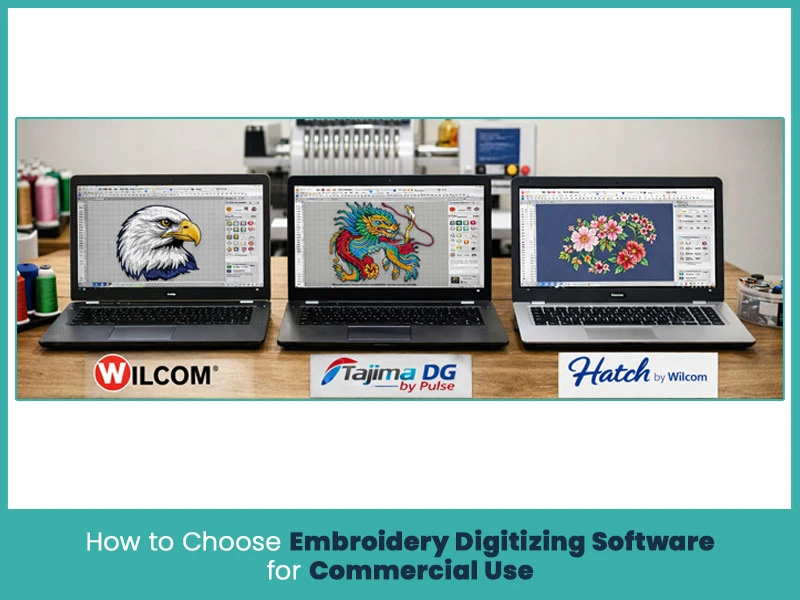
If you're buying for commercial production, you're doing designs for paying clients or running a high-volume shop, a few things matter more than anything else:
Stitch quality is the first thing. A design that looks great on screen but stitches out with gaps, puckering, or thread breaks is a wasted design. Wilcom and Tajima are known for the most consistent stitch output at the commercial level.
Machine compatibility matters too. If you're running multiple machine brands, you need software that exports reliably to all of them. Wilcom, Hatch, and Embird have broad format support.
Speed and automation affect your bottom line directly. The faster you can turn around a quality design, the more orders you can handle. Look for auto-digitizing, auto-underlay, and batch export features.
Support and training are often underestimated. Wilcom and Hatch both have solid training programs and active user communities. Tajima includes training classes with purchase.
When you're comparing professional software, here are the tools you actually want to see:
- Auto-digitizing — Converts images to stitch files with minimal manual work.
- Manual digitizing — Full control over every stitch path and angle.
- 3D stitch simulation — Preview how a design will look before stitching.
- Underlay generation — Automatically adds foundation stitches for stability.
- Pull compensation — Compensates for fabric distortion during stitching.
- Applique tools — For creating multi-material designs.
- Lettering and font library — A good selection of professionally digitized fonts.
- Multi-hooping support — For large designs that span multiple hoop positions.
- Batch export — Export to multiple machine formats at once.
- Thread color libraries — Match your designs to thread brands like Madeira and Isacord.
There's no single "best" embroidery digitizing software that works for everyone. If you're running a commercial business, Wilcom EmbroideryStudio 2026 is the clear leader. If you're a home hobbyist or small business owner, Hatch offers the best balance of price and power. On a budget? Ink/Stitch gives you real professional tools at zero cost — as long as you're willing to learn.
The important thing is to match the software to your actual needs, not just pick the most expensive or most popular option.
That said, even the best software in the world still requires a skilled hand behind it. If you're looking for custom embroidery digitizing services at affordable rates, get in touch with True Digitizing, a leading company providing a wide range of professional embroidery digitizing services at some of the most competitive rates in the industry. Our expert team of digitizers handles your designs with care, delivers quality work on time, and knows how to get results that stitch out clean the first time.
Nick William has been immersed in the world of embroidery digitizing for over 20 years, earning 25 industry awards throughout his career. As a 3rd generation embroidery expert, Nick’s journey started in his family’s workshop, where he learned the art of digitizing before the rise of modern software. He has worked with leading commercial embroidery businesses and has shared his expertise with over 75,000 home and professional embroiderers. As an author at True Digitizing, Nick is passionate about teaching others how to create beautiful, precise designs through easy-to-follow tutorials and expert advice.
Categories
Embroidery Digitizing Services: Which Type Do You Need?
17-08-2026
How to Remove Embroidery From Any Fabric — Step-by-Step Guide 2026
15-07-2026
Is SVG a Vector File? Yes — SVG vs EPS, PNG, PDF Vector Formats you need to know
08-07-2026
Embroidery Trends 2026: What's Hot in Machine & Hand Embroidery | TrueDigitizing
26-06-2026
Best Multi-Needle Embroidery Machines for Startups 2026
28-02-2026
DST File: The Complete Guide (What It Is, How to Create, Convert & Use in 2026)
28-02-2026
Janome 550E vs Baby Lock Flare | Best Mid-Range Embroidery Machine?
26-02-2026
Choose the Right Fabric for Embroidery
20-02-2026
Advanced Techniques in Embroidery Digitizing
19-02-2026

Most Common Types of Threads to Use in Machine Embroidery
12-02-2026
Asked Questions