




At True Digitizing, we transform your creative spark into flawless, high-quality embroidery digitized designs that bring your vision to life.
Our Blogs
We Accept

Copyright 2025 Truedigitizing






At True Digitizing, we transform your creative spark into flawless, high-quality embroidery digitized designs that bring your vision to life.
We Accept
Copyright 2025 Truedigitizing
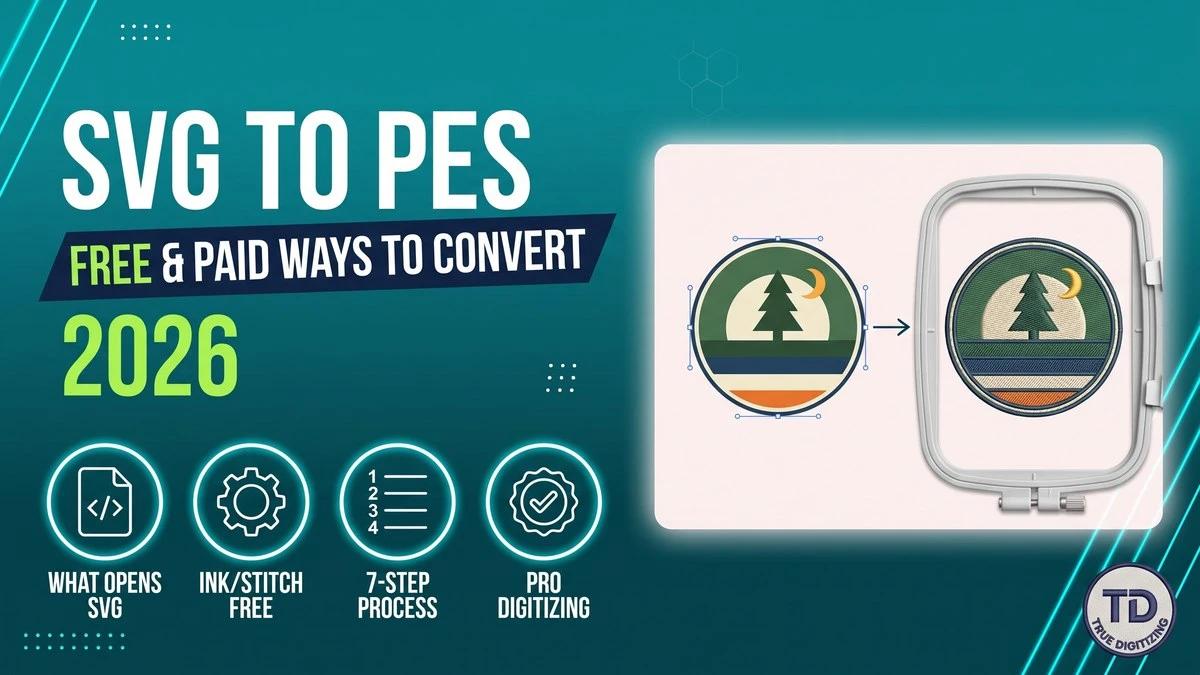


To convert SVG to PES, you must digitize the vector shapes into stitches. A converter that only changes the file extension will not work. The free route is Inkscape with the Ink/Stitch extension: open the SVG, assign a stitch type to each shape, then File › Save a Copy › PES. Brother PE-DESIGN 11 and Embrilliance can import SVG too, while Hatch needs a CorelDRAW add-on. Or send the SVG to True Digitizing for a tested PES file, usually within 2 to 12 hours.
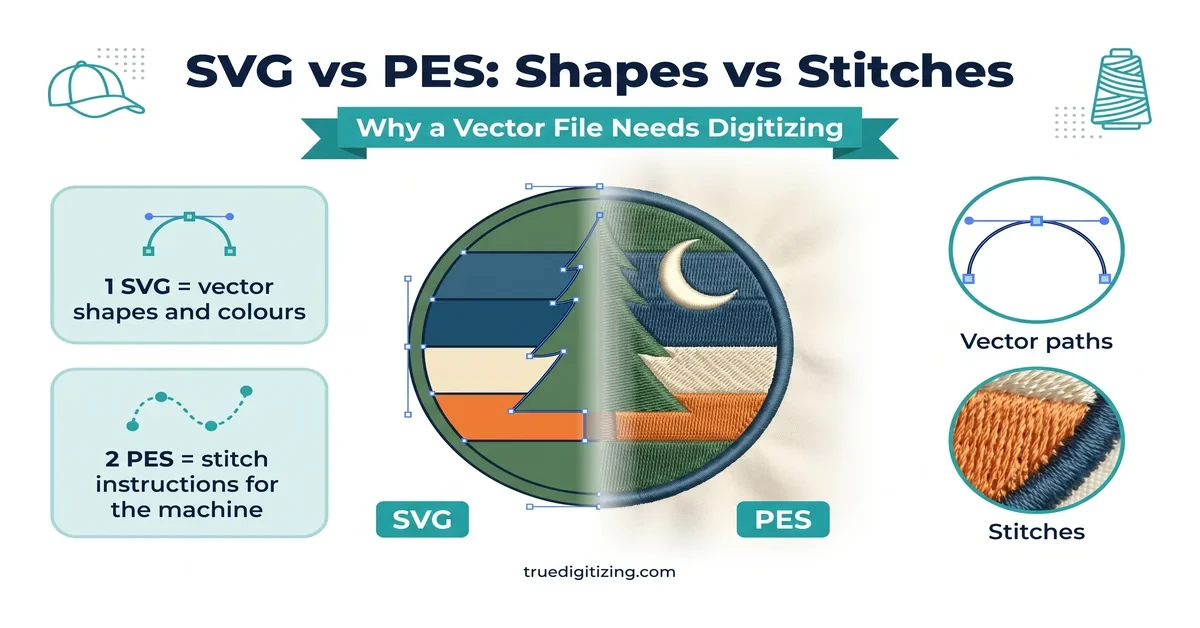
If you've dropped an SVG onto your embroidery machine and gotten nothing but an error, nothing is wrong with your file. SVG simply isn't a stitch format. To convert SVG to PES, every shape in the vector has to become real stitch instructions: stitch type, direction, density, and thread color. That step is called digitizing, and it's the part most "SVG to PES converter" sites quietly skip.
This guide covers which software can actually open an SVG and save a PES file, a free workflow you can follow today, a 7-step process for clean results, and where DIY conversion stops being worth the time.
Skip the software learning curve
True Digitizing has completed 20,000+ designs for USA embroiderers over 13+ years. Send your SVG and get back a stitch-tested PES file, sized and color-sequenced for your machine.
Get a Free Quote — True DigitizingSVG (Scalable Vector Graphics) is an XML-based format that stores a design as mathematical paths, so it scales to any size without losing sharpness. The W3C SVG2 specification defines it as a graphics markup format. It has no concept of stitch type, underlay, pull compensation, or thread order.
PES is the opposite: the native format for Brother and Baby Lock machines, storing needle points, stitch lengths and color-change sequence. An embroidery machine doesn't read shapes; it follows a stitch-by-stitch travel plan. That is why a PES file also doesn't resize like an SVG. Scale a finished PES much beyond roughly 10-20% and the stitch density no longer matches the new size.
| Feature | SVG file | PES file |
|---|---|---|
| Stores stitch data | No | Yes |
| Scales without quality loss | Yes | No (re-digitize for big size changes) |
| Read by Brother / Baby Lock machines | No | Yes |
| Editable in Illustrator, Inkscape, CorelDRAW | Yes | No |
| Includes thread color sequence | No | Yes |
Not every embroidery program opens SVG files directly, and this is where many conversions stall. Here is what the vendors themselves document:
| Tool | Opens SVG? | Cost | Best for |
|---|---|---|---|
| Inkscape + Ink/Stitch | Yes, SVG is its native working file; writes PES | Free, open-source | Hobbyists willing to set stitch parameters by hand |
| Brother PE-DESIGN 11 | Yes, Brother lists SVG vector import in its update notes | Paid software | Brother owners who want a PES-native workflow |
| Embrilliance StitchArtist | Yes at higher levels; Embrilliance lists SVG import on its Level 2 upgrade page (confirm for your edition) | Paid software | Mac and Windows users who want object-level control |
| Hatch Embroidery | Not on its own; Hatch's help center says SVG opens only with a CorelDRAW add-on (Hatch 3 article; confirm for your version) | Paid software plus add-on | Digitizers already using CorelDRAW |
| Professional digitizing service | Yes, send the SVG as-is | Per-design quote | Logos, uniforms, anything worn or sold |
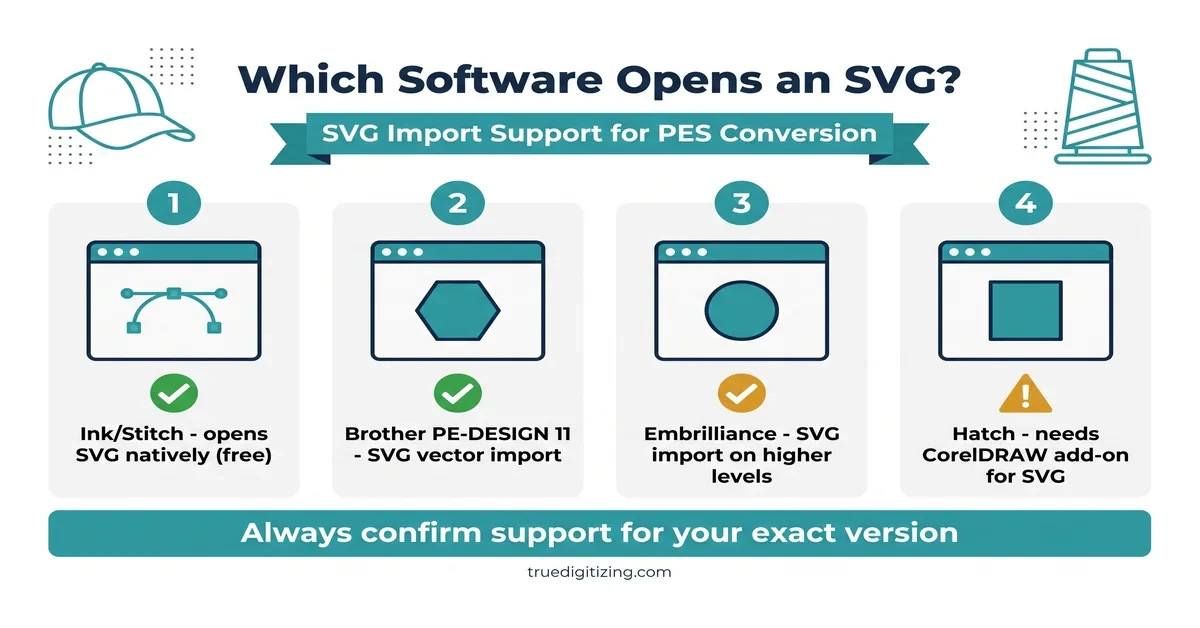
Ink/Stitch is an open-source Inkscape extension, and because Inkscape works in SVG natively your file needs no conversion before you start. Its official file-format list confirms it can write PES, as well as DST, EXP, JEF and others. In practice, filled shapes become fill (tatami) stitches, strokes become running or zigzag stitches, and satin columns are built from two-rail paths. Here is the workflow:
Brother's own PE-DESIGN 11 update notes describe improved import of vector images in the Scalable Vector Graphics (.svg) format. For a Brother or Baby Lock owner this is the shortest path, since PES is the format the software was built around. As with any import, expect to review stitch types and fine details manually before you save.
Many guides tell you to "open the SVG in Hatch." According to Hatch's help center, in Hatch 3 SVG opens only when Hatch is linked to a CorelDRAW add-on; without it, Hatch reads formats such as PNG, JPG, EPS and EMF. If you own Hatch without CorelDRAW, export your artwork as EPS or a high-resolution PNG from your design program instead.
Tired of gapping, puckering, or a converter that just guesses?
True Digitizing delivers stitch-ready files within 2 to 12 hours — trusted by 5,000+ USA embroiderers. Send your SVG and get a PES file that has already been density-checked for your fabric.
Start My Order at True DigitizingWhatever tool you use, the same seven steps decide whether the finished file stitches cleanly:
Searches for "svg to pes converter free" land on sites promising one-click conversion. We did not find a free online tool that produces a stitch-ready PES from an SVG with no manual input, and that is expected: a PES needs stitch decisions that a file converter cannot make for you. In practice "free" means one of three things:
Ink/Stitch — genuinely free and the best option if you are willing to learn the settings, as described above.
Free trials of paid software — useful for testing your own artwork, though trials often limit design size or export.
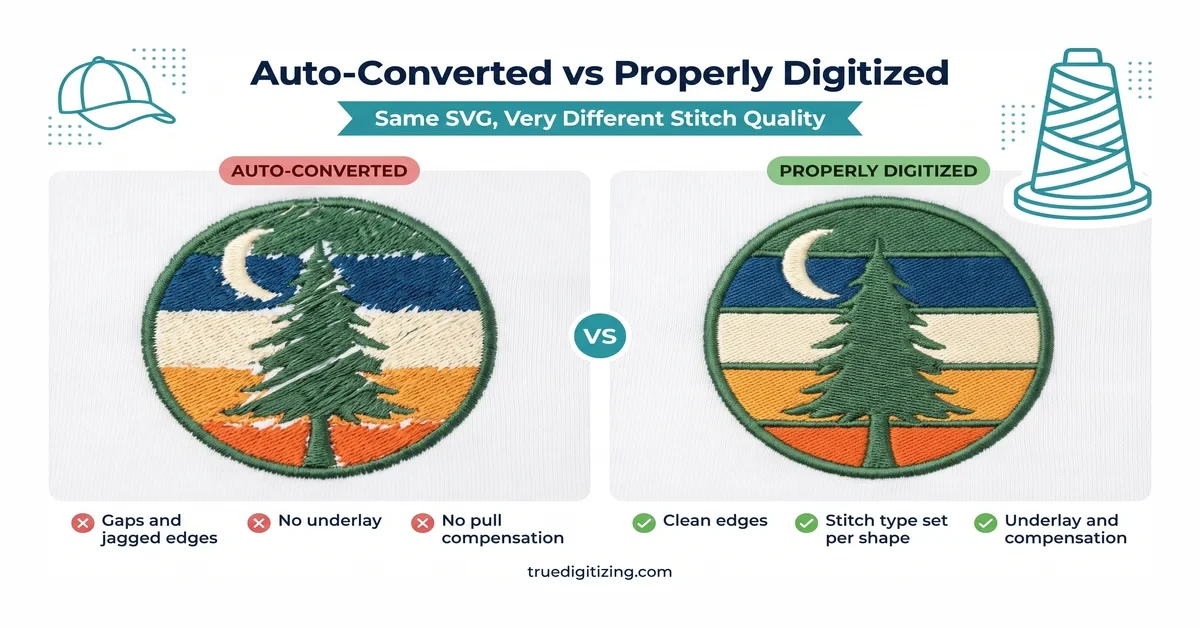
Generic online converters — usually a crude auto-trace with no underlay, compensation or density control. The file may load on your machine, but gaps, thread breaks and misaligned fills are common. They also upload your artwork to someone else's server, which matters for client logos.
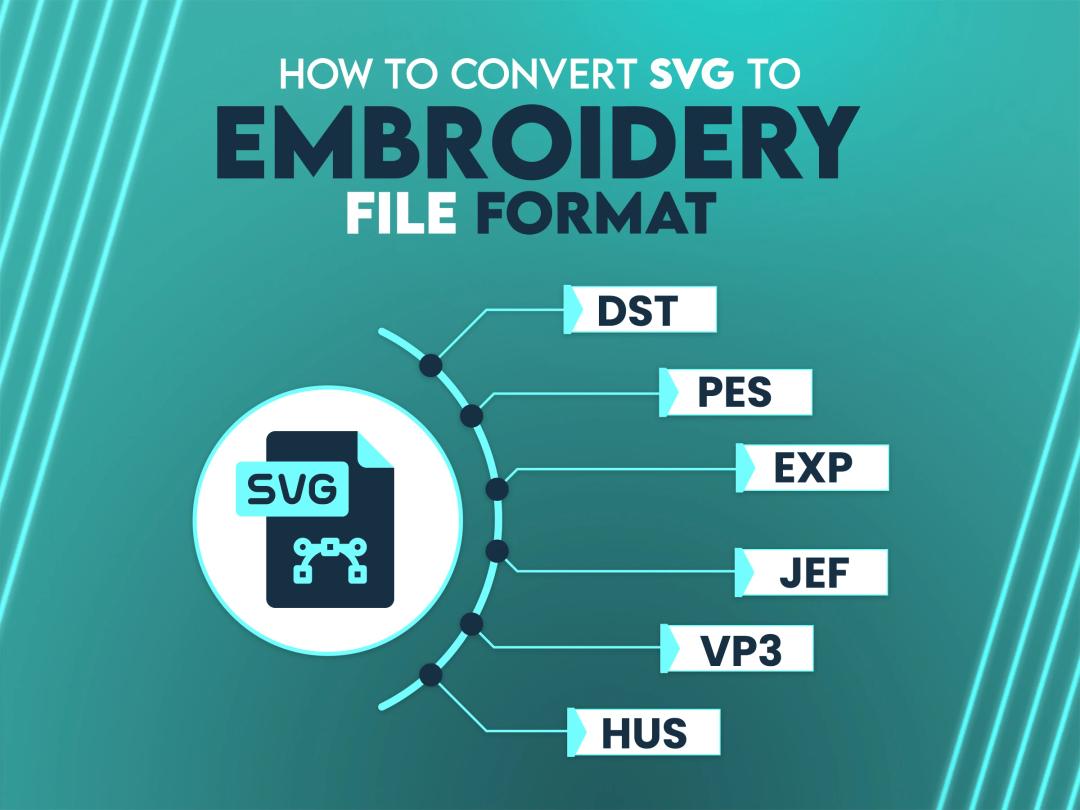
PES is only the right target for Brother and Baby Lock. On other machines you need the format your machine reads, and sending the wrong one usually means the machine will not recognize the file at all. Our DST file guide and embroidery file formats overview cover the full list, and the broader SVG to embroidery file format guide shows how to export the same design to DST, EXP or JEF.
| Format | Used by | Notes |
|---|---|---|
| PES | Brother, Baby Lock | Most common format for home machines |
| DST | Tajima and most commercial machines | Closest thing to a universal production format |
| EXP | Melco and many Bernina machines | Common on single-head commercial machines |
| JEF | Janome | Home machine format, similar role to PES |
Skipping underlay. Stitching straight onto fabric with no stabilizing layer causes puckering, especially on knits and lightweight cotton.
Using one density for everything. A tiny detail and a large fill need different settings. Too dense snaps thread; too sparse looks gappy.
No pull compensation on satin columns. Satin stitches pull inward as they sew, so borders end up narrower than designed unless you compensate.
Ignoring stitch direction. Inconsistent angles across neighboring shapes create visible seams and uneven light reflection.
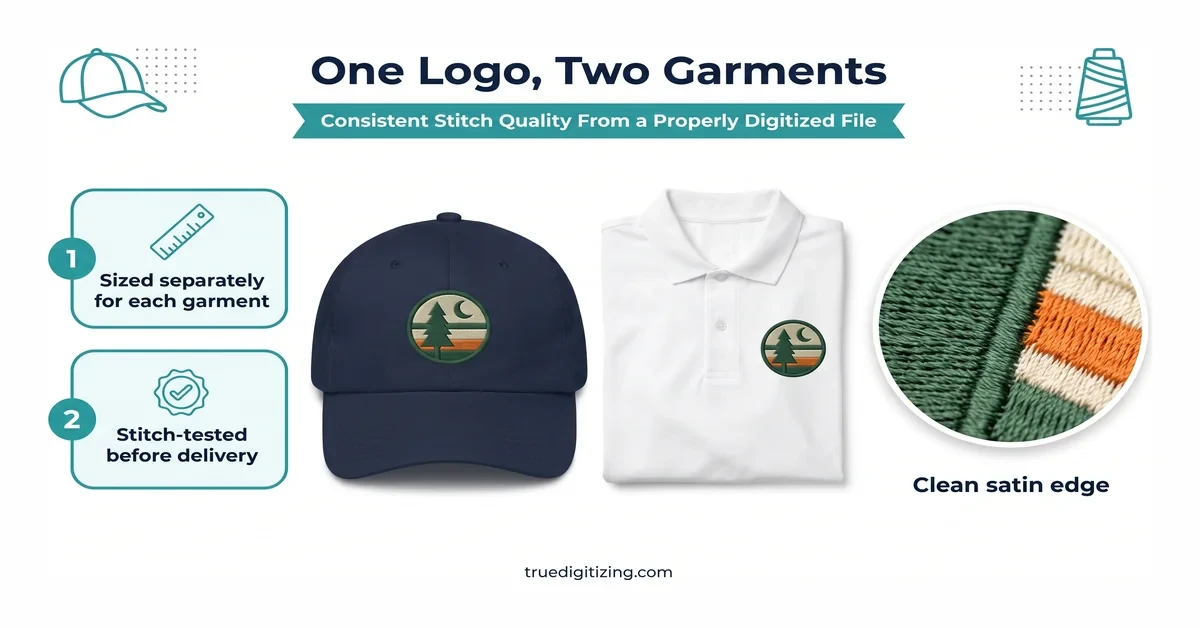
Never test-stitching. It is the one step that reliably catches tension and density problems before they land on a finished garment.
Forgetting the file rights. SVGs are usually copyrighted by whoever designed them. Confirm you have permission before digitizing a client logo or licensed graphic for commercial stitching.
Related conversions: PNG to PES, JPG to PES, PDF to embroidery file, and is SVG a vector file? If your artwork is a low-quality raster, our vector tracing service rebuilds it as clean SVG before digitizing.
¿Cómo convertir un SVG a PES? Un SVG es un dibujo vectorial y un PES contiene instrucciones de puntadas, así que hay que "digitalizar" el diseño. La opción gratuita es Inkscape con la extensión Ink/Stitch: abre el SVG, asigna el tipo de puntada a cada forma (relleno, satén o puntada corrida), revisa el simulador y exporta con Archivo › Guardar una copia › PES.
Consejo: convierte el texto a trazados, quita los degradados y haz siempre una prueba de bordado en tela de muestra antes de producir.
Converting SVG to PES always comes down to the same core step: turning flat vector shapes into machine-readable stitches, which no true one-click converter does properly. Ink/Stitch gets you there for free if you will learn the settings, and Brother or Embrilliance software speeds up the workflow once you convert regularly.
If you would rather skip the learning curve and the test-stitch trial and error, True Digitizing has converted SVG artwork into stitch-ready PES files for 5,000+ USA customers over 13+ years, with density and pull compensation already set for your fabric.
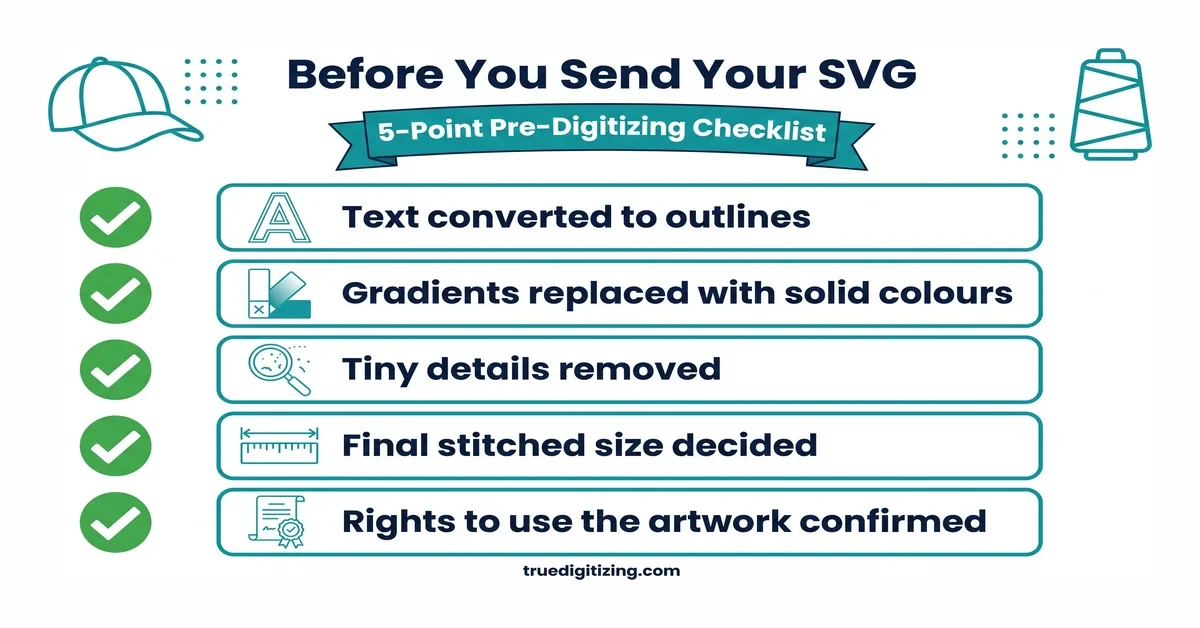
True Digitizing has helped 5,000+ USA embroiderers get professional stitch files since 2013. Upload your SVG and get back a PES file that is density-tested for your fabric — no software to learn.
Get My Design Digitized by True Digitizing →Fast turnaround · truedigitizing.com · 100% satisfaction guaranteed
Related reading: PNG to PES · SVG to Embroidery File Format · Is SVG a Vector File? · Custom Embroidery Digitizing
Nick William has been immersed in the world of embroidery digitizing for over 20 years, earning 25 industry awards throughout his career. As a 3rd generation embroidery expert, Nick’s journey started in his family’s workshop, where he learned the art of digitizing before the rise of modern software. He has worked with leading commercial embroidery businesses and has shared his expertise with over 75,000 home and professional embroiderers. As an author at True Digitizing, Nick is passionate about teaching others how to create beautiful, precise designs through easy-to-follow tutorials and expert advice.
Categories
Embroidery Backing Guide: Types & How to Choose (2026)
11-10-2026
Embroidery Digitizing Services: Which Type Do You Need?
17-08-2026
How to Remove Embroidery From Any Fabric — Step-by-Step Guide 2026
15-07-2026
Is SVG a Vector File? Yes — SVG vs EPS, PNG, PDF Vector Formats you need to know
08-07-2026
Embroidery Trends 2026: What's Hot in Machine & Hand Embroidery | TrueDigitizing
26-06-2026
Top Best Embroidery Digitizing Software in 2026
06-05-2026
Best Multi-Needle Embroidery Machines for Startups (2026)
28-02-2026
DST File: The Complete Guide (What It Is, How to Create, Convert & Use in 2026)
28-02-2026

Janome 550E vs Baby Lock Flare | Best Mid-Range Embroidery Machine?
26-02-2026
Choose the Right Fabric for Embroidery
20-02-2026
Asked Questions